
If you can’t get used to the Windows 11 environment, StartAllBack is worth a look.
By: Dennis Gandasoebrata
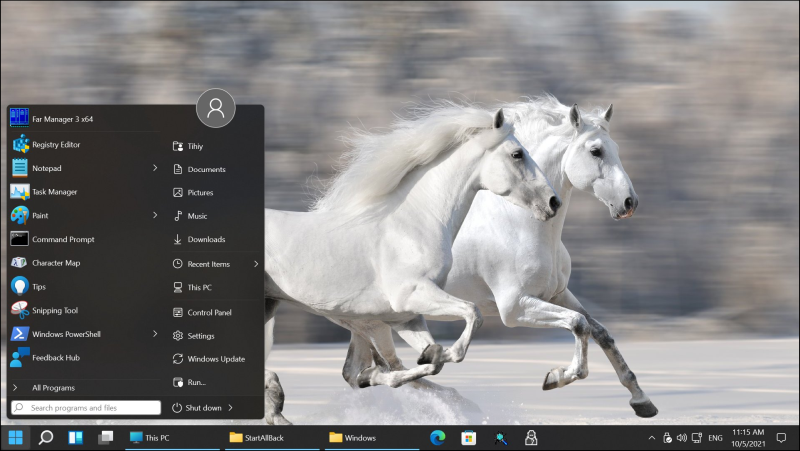
The software takes care of Windows 11 in several areas. This way you can restore the classic Start menu (from Windows 10), but you can also convert the taskbar to the variant from earlier Windows versions.
The makers have looked at the new design of the Windows settings window and the layout based on this with a slanted eye. This way you can take care of the Start menu, the taskbar, but also the Explorer. For example, in the Explorer you can choose between the Windows 11 toolbar at the top, but also the ribbon from Windows 10 or the menu bar from Windows 7. You can also switch the various components on and off, such as the search window and the details window. You can also place the taskbar to the left or right of the screen, a function that Windows 11 itself does not offer.
StartAllBack looks promising, but at the time of writing it is still in the development phase. We expect the functionality to expand over time.
Product: StartAllBackstartallback.com

Price: € 5,-
System requirements: Windows 11
Language: Dutch, English