
Even if you really need a hand warmer during this cold weather, you can use your iPhone for it. We show you how that works!
This is how you make a hand warmer from your iPhone
If you want to use your iPhone as a hand warmer, you must ensure that your iPhone gets warm enough. This is possible because there are powerful chips in your iPhone. When they are heavily loaded by complex calculations or graphic tasks, they generate heat.
To achieve this at the right time, we have an automated order for you. You can simply do this when your hands are cold. Your iPhone starts working and therefore generates heat. After a while, the housing of your iPhone also becomes warm and it has become a kind of hand warmer. Follow the steps below to set up the command.
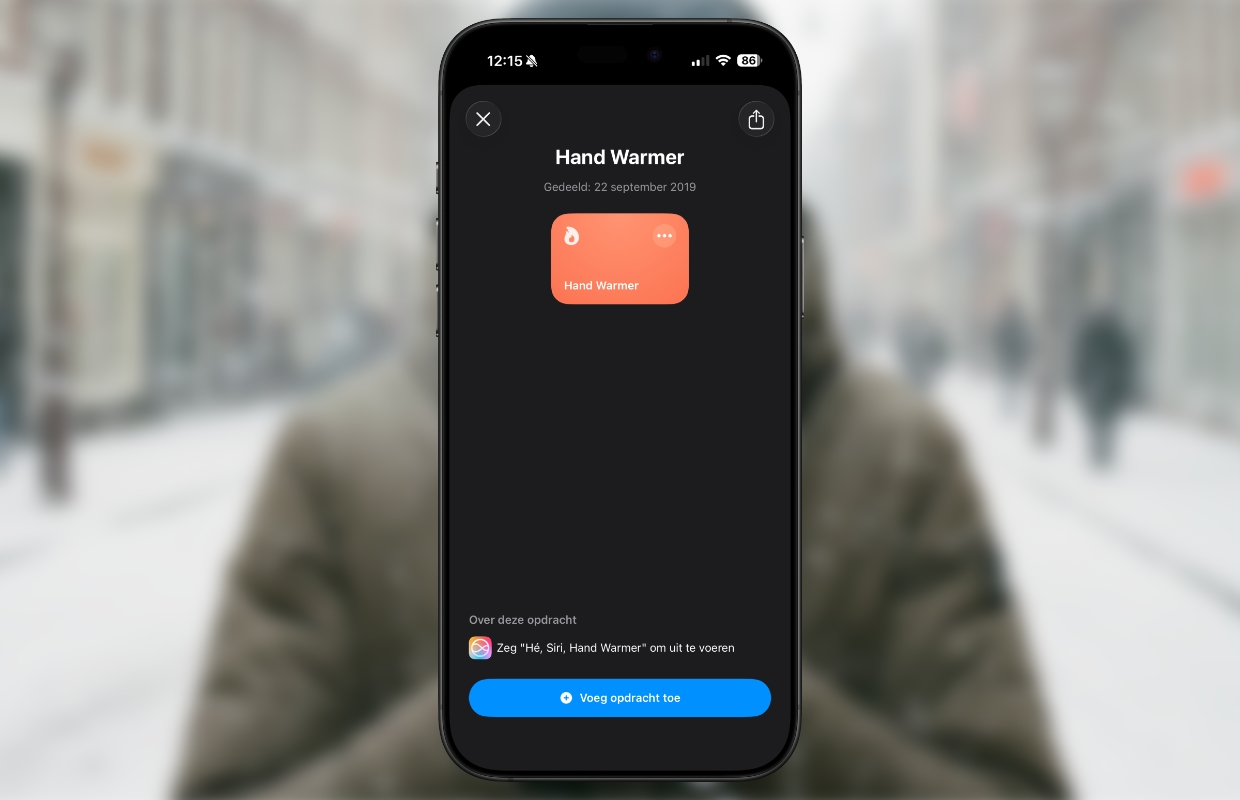
- Tap this link and then click ‘Retrieve assignment’;
- Tap ‘Add assignment’ at the bottom;
- To start the new command, tap it’;
- Tap ‘OK’ and then ‘Later’;
- Finally, tap ‘Hand Warmer (Heating Time min)’.

You will now notice that the flashlight turns on and the screen brightness increases to maximum. It may take a while, but if all goes well, your iPhone will slowly but surely become warmer and you can warm your hands on it. The intensity can differ considerably per iPhone model. Additionally, the command is not optimized for iOS 26, so error messages may sometimes appear. These do not prevent your iPhone from getting warm.
There are also (significant) disadvantages
Although you can use your iPhone as a hand warmer, we recommend that you only do this in emergencies. After all, your iPhone is not made for it and prolonged overheating is not good for the device or for the battery. The battery also runs out very quickly when you perform the Hand Warmer command.
Want more iPhone tips? On iPhoned you can read useful tips and tricks for your iPhone every week. Check out the most recent tips below!
-
Look after! Your iPhone can handle snow less well than you think
-
This is how you turn your iPhone into a hand warmer (but that has disadvantages)
-
WhatsApp adds hidden feature for all users (and here’s how you get it)
-
This way you can send messages to someone automatically and unnoticed!
-
Netflix and Apple TV in January 2026: Shrinking, Hijack, Bridgerton