
Apple will release iOS 26.3 soon, but the update brings a feature to your iPhone that you should never use. That’s how it is!
iOS 26.3
A new software version is coming to your iPhone! Apple is working on iOS 26.3, the next major interim update to the operating system. iOS 26.3 brings several new features to your iPhone, including three wallpapers in the theme of the Weather app. Furthermore, smartwatches from other brands will finally support receiving notifications via your iPhone. This feature is currently exclusive to the Apple Watch, but will soon also work with smart watches from brands such as Samsung.
Good news if you use a smartwatch from another brand, because it will soon work much better with your iPhone. This isn’t the only change Apple is making to improve collaboration with Android devices. Starting with iOS 26.3, it will be much easier to transfer all data from your iPhone to an Android device. That is a striking feature of iOS 26.3, which you will probably never use.
Transfer data to Android
Have you bought a new iPhone? In that case, it is easy to transfer all data from your current device to the new iPhone. All you have to do is hold the iPhones next to each other and all the steps to transfer the data without any problems will automatically appear. When switching from an iPhone to an Android device, it is a completely different story, as you often have to find the right way to move all data from iOS to Android.
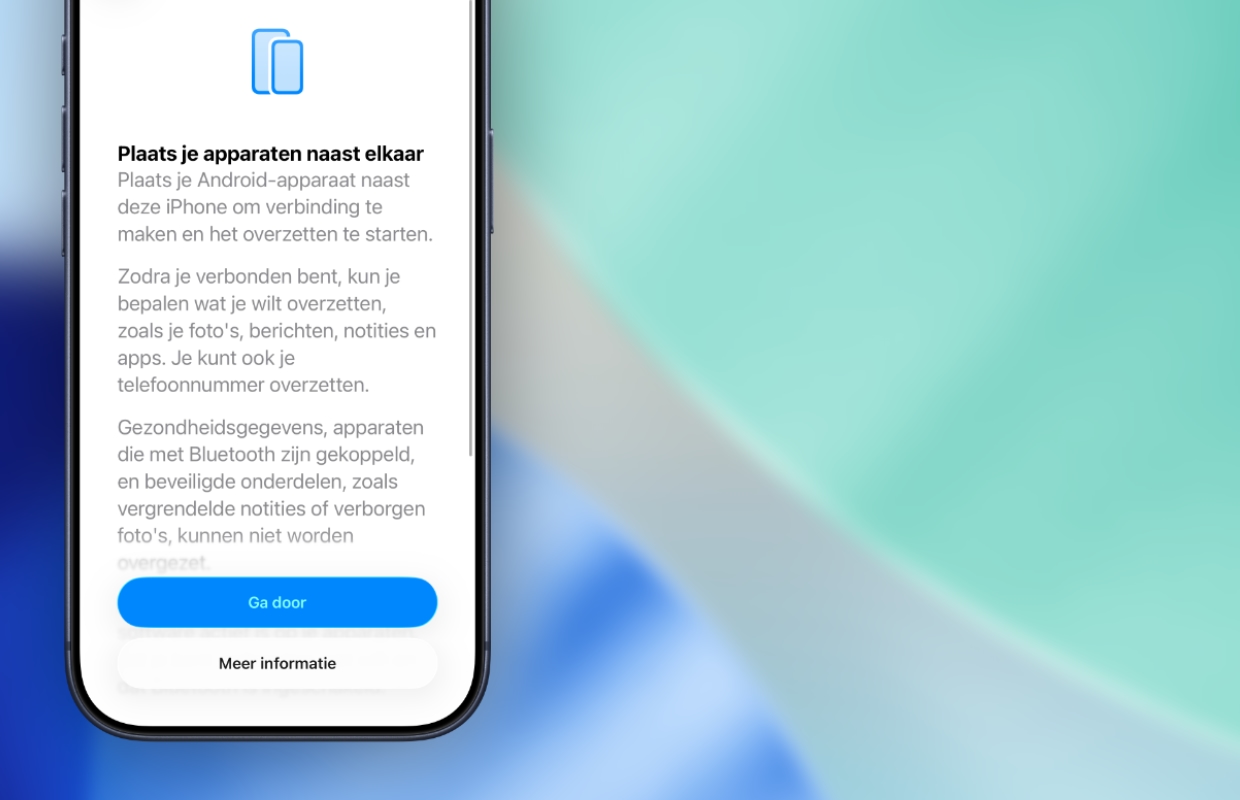
With iOS 26.3, Apple is changing that, because it becomes much easier to transfer parts from your iPhone to an Android device. Apple adds a feature in iOS 26.3 that ensures that your iPhone recognizes a new Android device. This way you will soon be able to simply hold an iPhone and Android device next to each other to transfer photos, messages, notes and apps. This way you can be sure that important data will be transferred to your next smartphone.

More about iOS 26.3
The new feature in iOS 26.3 does not transfer all data from your iPhone to the Android device. Health data, Bluetooth-connected devices, and secure items such as locked notes will not be transferred to the new device. The same goes for hidden photos, which cannot be transferred either. This is a useful new setting in iOS 26.3, but the question is whether you will ever use the function.
Many users with an iPhone choose an iPhone as their next device, especially if they also own an iPad, Apple Watch or Mac (Book). Do you want all Apple devices to continue to work together as best as possible? Then you should never use the new feature of iOS 26.3, because you do not have to transfer your data to an Android device. Do you want to stay informed of all Apple updates? Then sign up for our daily or weekly newsletter so you don’t miss a single software release!

Download the iPhoned app
