 PC-Active 331 discussed the new equipment that Apple announced at the WWDC developers conference. This article is about the innovations in Apple’s operating systems.
Ernst Roelofs
This year, the innovations in Apple’s operating systems are less spectacular, but certainly worth it. They are expected to be released in mid-September.
This year too we see that macOS is becoming more and more like iPadOS. Furthermore, not all functions are available for all iPads. StageManager, to use multiple apps in different windows simultaneously, has been further improved, but still only works on iPads with at least the M1 processor. Furthermore, with macOS Sonoma you cannot use some new features on Macs with an Intel processor.
iOS/iPadOS 17
In addition to innovations, there are also extensions of existing options for the operating systems of the iPhone and iPad.
A little later there will also be one in iOS and iPadOS 17 Journalapp from Apple available that allows you to keep a diary. The app also uses information from other Apple apps such as photos, Contacts and where you are.
In the Find myapp, up to five people can now find objects such as a set of keys if an AirTag is attached to it. This way your partner and your children can also find your set of keys.
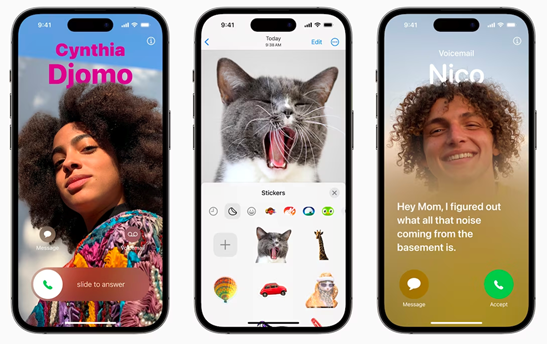
What’s also new is that you Contact posters can create for all your contacts with a matching photo or Memoji figure. You will then see this when you receive a call from that person from your address book.
 |
|
New in iOS 17 are Contact Posters, Live Stickers and Live Voicemail |
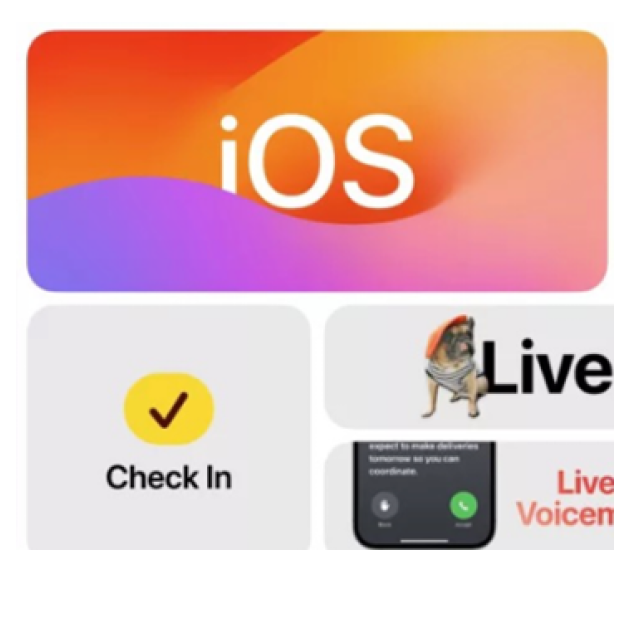
Of Live Stickers you can make chat messages more fun. You can also easily cut out stickers from your own photos and save them to iCloud so you can use them in the Messages app on all your Apple devices.
Also new is the option to display spoken text. Live Voicemail immediately converts a voicemail message into text, so that you can still decide to answer the phone for an important message. It’s a shame that it only works in English in the US and Canada for the time being.
In Apple’s Cardsapp you will soon also be able to download maps of a large area. This is nice if you have a limited data bundle and in areas with poor mobile coverage. This has been possible for quite some time with competitor Google Maps and we hope that it will soon become possible to plan good cycling routes.
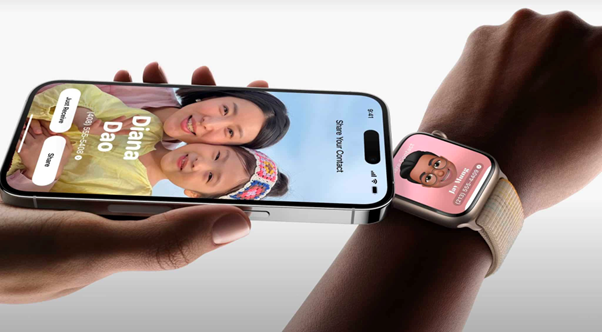
Another useful new feature is NameDrop. You can exchange contact information by holding two iPhones together. The data exchange continues even if the iPhones are no longer near each other. Perhaps this means the end of business cards and misspelled email addresses. NameDrop also works with an Apple Watch.
Also new is that Siri has become more direct. “Siri” will suffice; “Hey” is no longer necessary.
 |
|
With Namedrop you no longer need business cards |
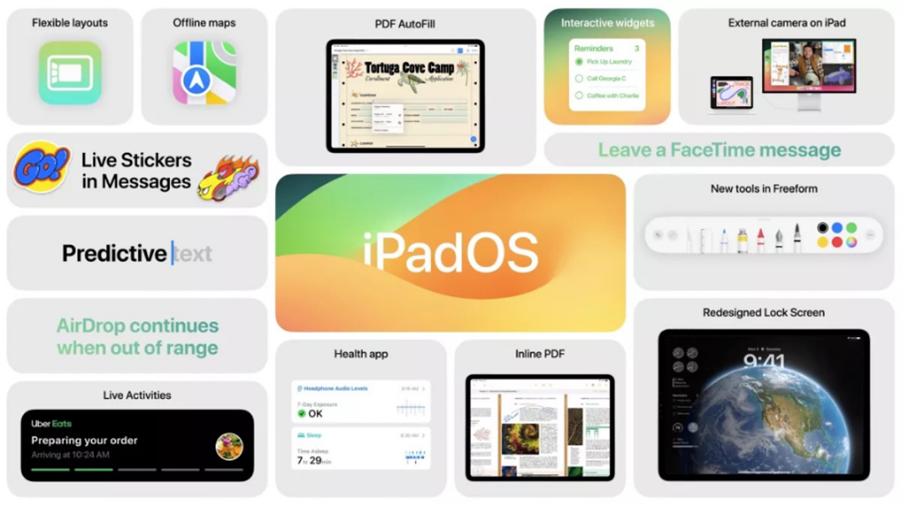
Almost all the new features and capabilities designed for the iPhone can also be found on the iPad, along with a few additional features. For example, with iPadOS 17, an external camera can be connected to an iPad. This only works on iPads with at least an M1 processor Stage Manager to support.
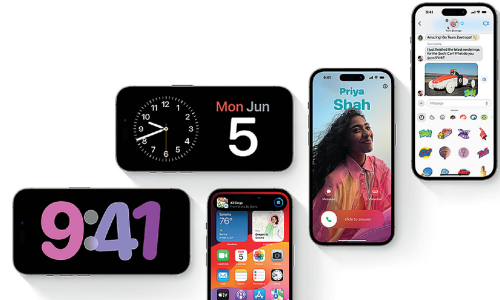
The home or lock screen can also be adjusted. This was already possible with the iPhones.
What’s nice is that the app Health (Health) is now also available for the iPad. What is new in this app is that in addition to physical health, you can also use a questionnaire to measure your mood (mood) can measure. It is still unclear whether other data such as exercise and music choice will also be used to determine your mood.
 |
|
All new features of iPadOS |
macOS 14 or Sonoma
This new version of macOS (14) is also named after a beautiful area in California; this time a wine region. A nice bonus is that fewer Macs are being lost this year than in recent years. If your Mac does fail (most 2017 models fail), there will probably be a new version of OpenCore Legacy Patcher by then, so that you can still use Sonoma.
Many innovations that you find in iPadOS can also be found in Sonoma. In recent years, both operating systems have increasingly converged, with iPadOS appearing to serve as a starting point (sometimes in my opinion at the expense of clarity).
The app Health However, you will not encounter it in macOS and Journal was not yet present in the first beta version of Sonoma.
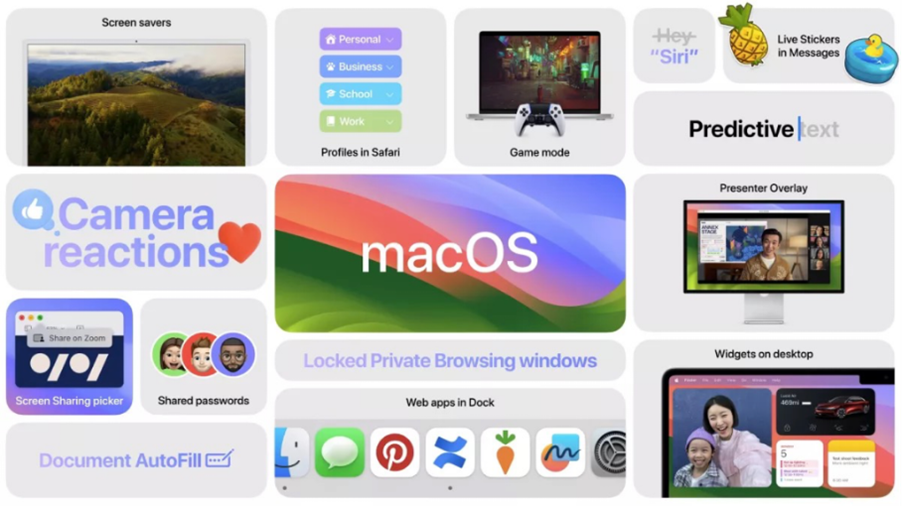
It is also useful that Safari now contains different profiles so that you can create separate groups of websites for work, private life and, for example, the association. In addition, there is private browsinga privacy option that locks the screen when you move away from your Mac.
Apple is working hard in the field of gaming and is introducing a special Game mode that automatically ensures better performance.
Also new is the Presenter Overlay. This allows you to put yourself in the foreground during a presentation. This function already works from FaceTime and Zoom, among others.
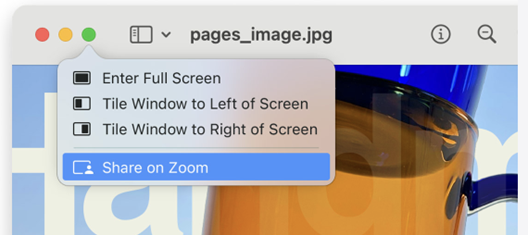
With the new Screen Share Chooser you can share one or even multiple apps directly from the corresponding window during a video call.
 |
|
In each window you can use the screen share selector |
You are also new widgets on the screen and Web apps in it Dock. Unfortunately, those widgets then appear on all desktops. I only found widgets on the first screen, for example, to be more useful, although you can temporarily empty them by double-clicking on the Desktop; all windows then disappear to the side. This is sometimes quite useful when a desktop is full and you want to go to a folder that is hidden behind all those windows.
 |
|
All the new features of macOS Sonoma in a nutshell |
WatchOS 10
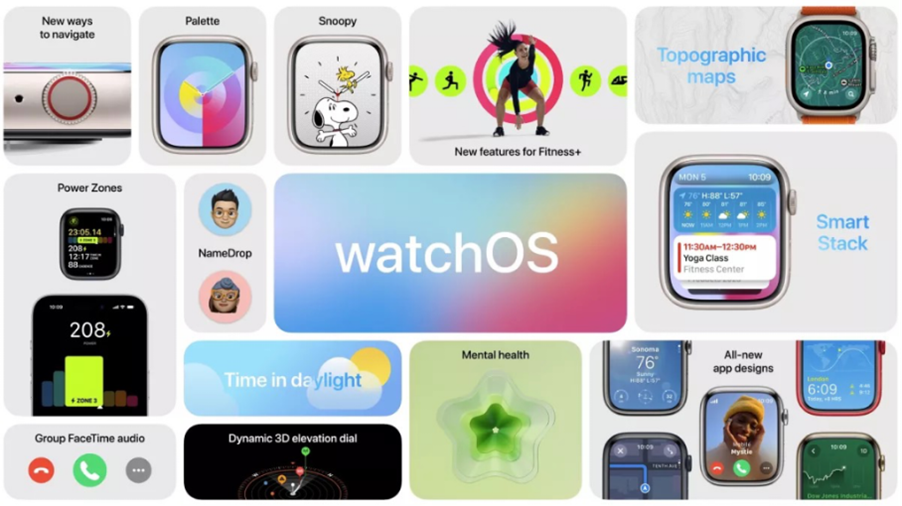
The operating system of Apple’s watch is an anniversary edition (the tenth) and has many new options. The operation will take some getting used to for existing users. WatchOS 10 has a new interface so that users can use the Apple Watch in completely new ways.
After the update to watchOS 10, users will have access to the information most important to them at a glance. Simplified navigation and new visual language make using the display better and more user-friendly.
 |
|
An overview of the new features of WatchOS 10 |
Also updated is the ‘smart stack’ with widgets that provide information at the right time and adapt to the context. You can conjure up this information by pressing the button from any dial DigitalCrown rotate or swipe up from the bottom edge of the screen. This is what you see at the start of the day Weather the weather forecast. If you are traveling, the smart stack can… boarding passes out Wallet to show. If you’re in Calendar and Reminders If you have a meeting or task scheduled, they will appear at the top at the right time. Active apps also slide up so you can use them right away. Thanks to this smart stack, you can set a beautiful watch face that suits you and still quickly view important information.
You can now access the control panel by pressing the side button (the Dock for your favorite apps has expired). Many more options, but for existing users it certainly takes some getting used to.
You will receive a demonstration and further explanation of the most important new functions in the online lectures of HCC!apple and during their presentations at the HCC!knowledge day.
| |
|