I’m done with X, Twitter or whatever it is called! It is too much drama and too little substantive information. How do I delete my X account? Hans B.
Quinten Jochems
More and more people want to spend less time on social media and some also want to reduce their digital footprint. Moreover, there are also more and more people who are finished with X, the former Twitter. In the article below you can read how to remove your X account. And if you want to keep your privacy on other social media such as Instagram and Facebook, read our article about the objection to use Meta AI on Facebook and Instagram.
Social media can hardly be avoided in your daily life, but sometimes it’s just too much. An overstimulation through news, opinions and algorithmic chaos can ensure that you are ready for some rest. And then it is nice to get rid of a social media platform. X, the former Twitter, is such a social media platform that does not feel fine with many users. Whether you want to distance yourself from an old account that you no longer use, want to protect your privacy better or simply focus on other things, deleting your profile is a small but effective step towards more digital rest. Fortunately that is not very complicated and we show how you deactivates your X-profile in a few steps.
Step 1: Settings
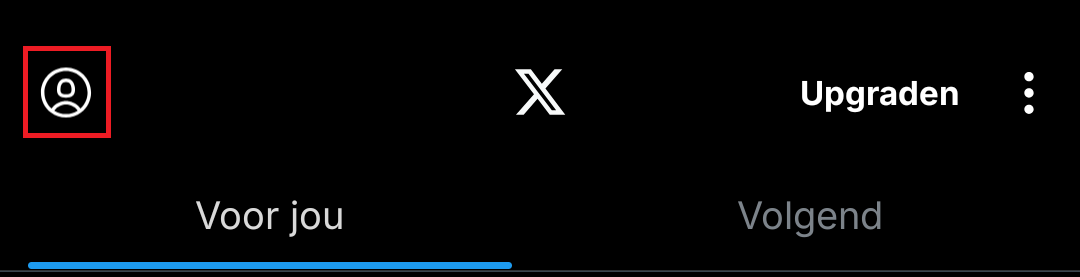
Open your app on your smartphone or the web version of X and press your profile photo at the top left.
(article continues under the image)
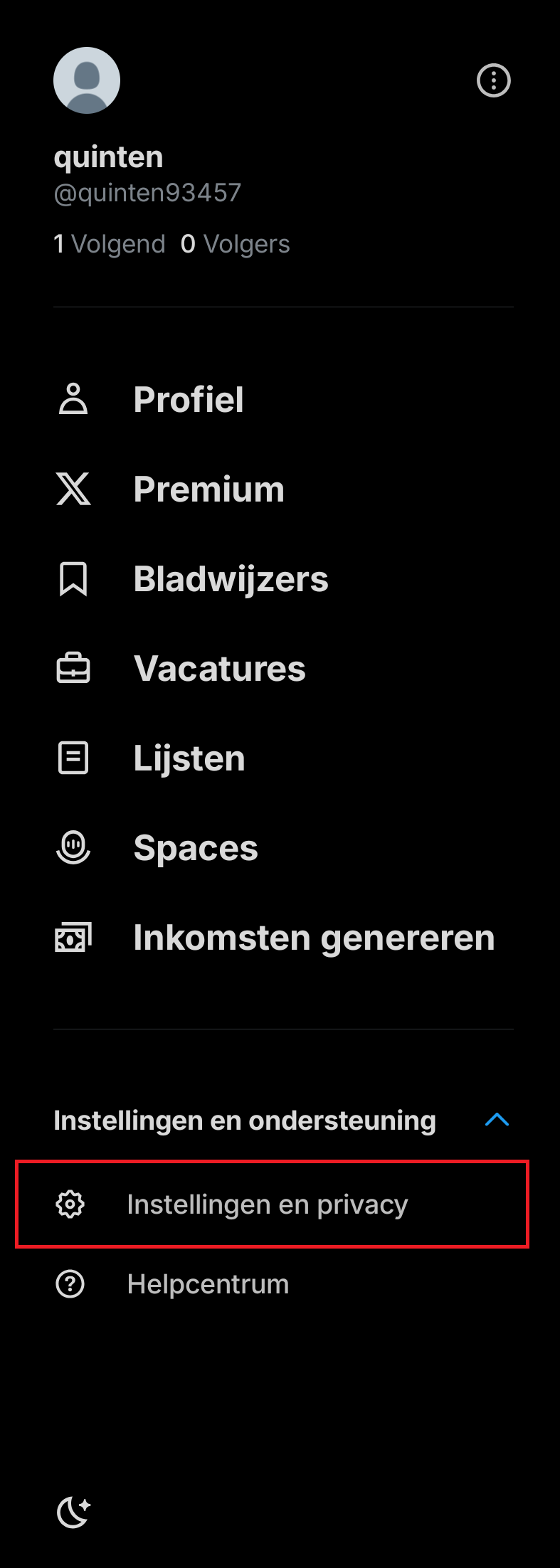
Look at the bottom left or scroll all the way down. Under the menu Settings and Support Choose Settings and Privacy.
(article continues under the image)
Step 2: Go to your account
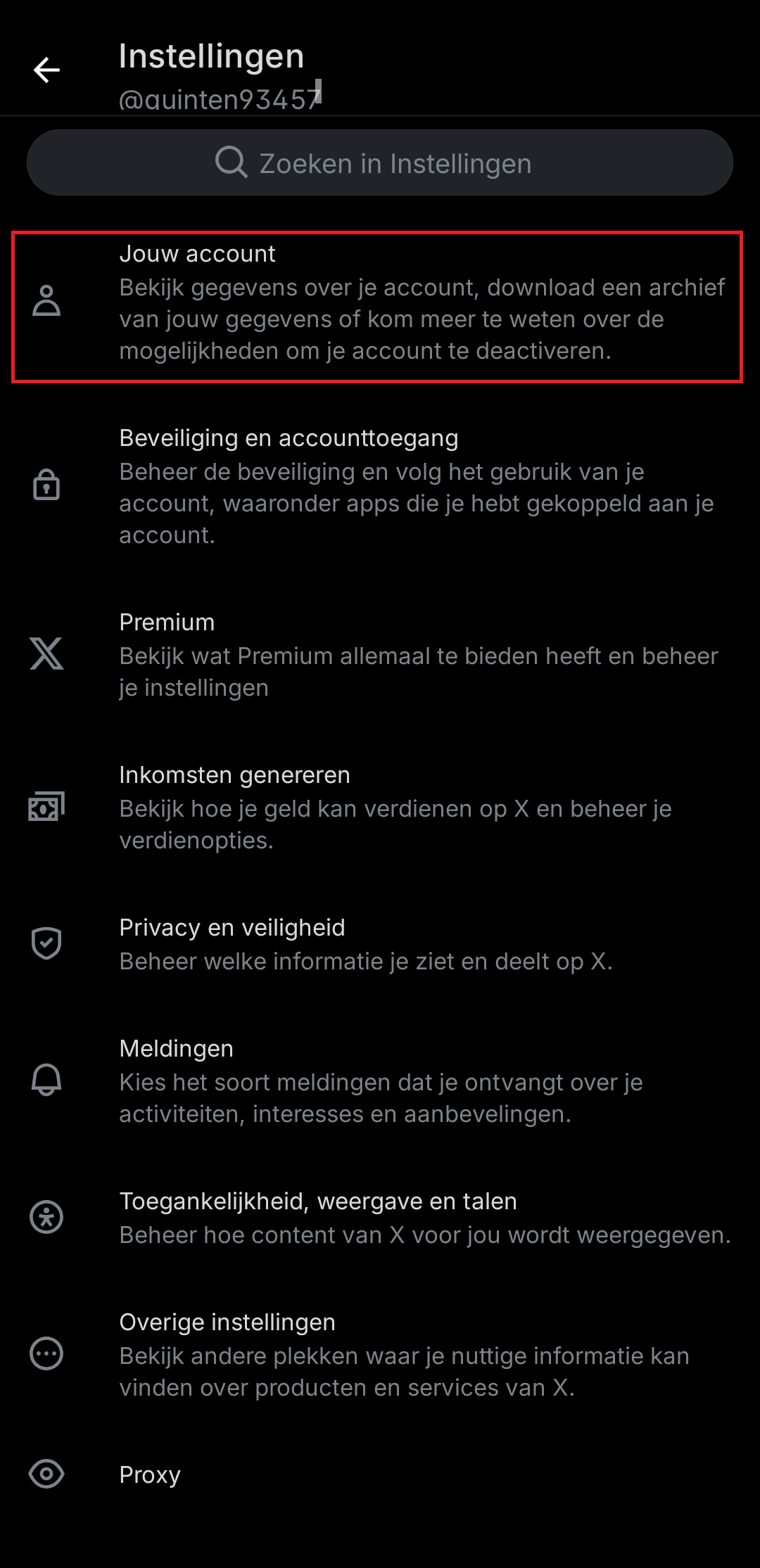
In the overview you see many settings such as Security and account access and Privacy and safetybut busy on Your account At the top of the list.
(article continues under the image)
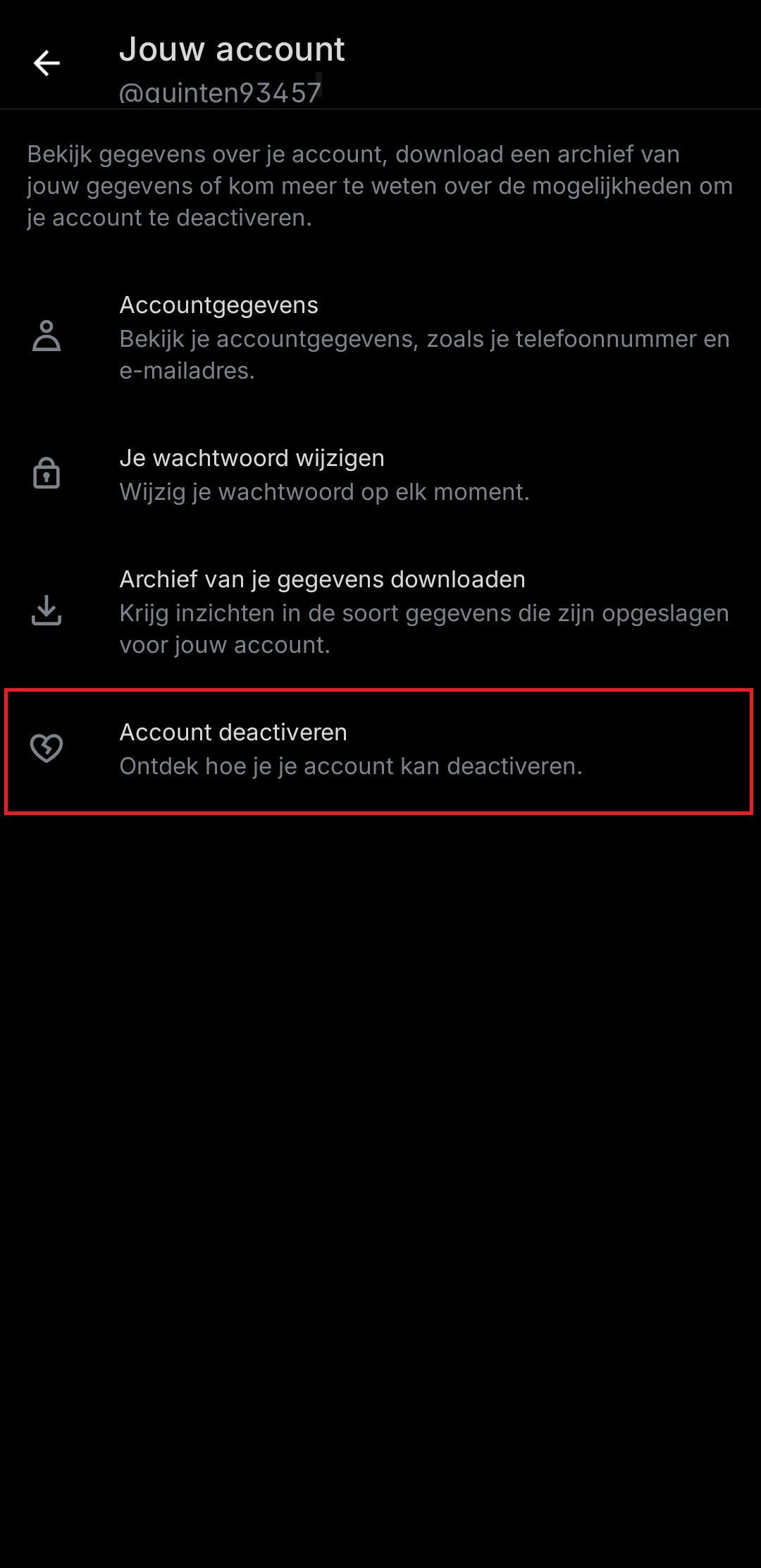
At the bottom of the menu Your account Do you find the option Deactivate account. Press to continue.
(article continues under the image)
Step 3: Important info and deactivate
Before you can really continue, you first get some important information:
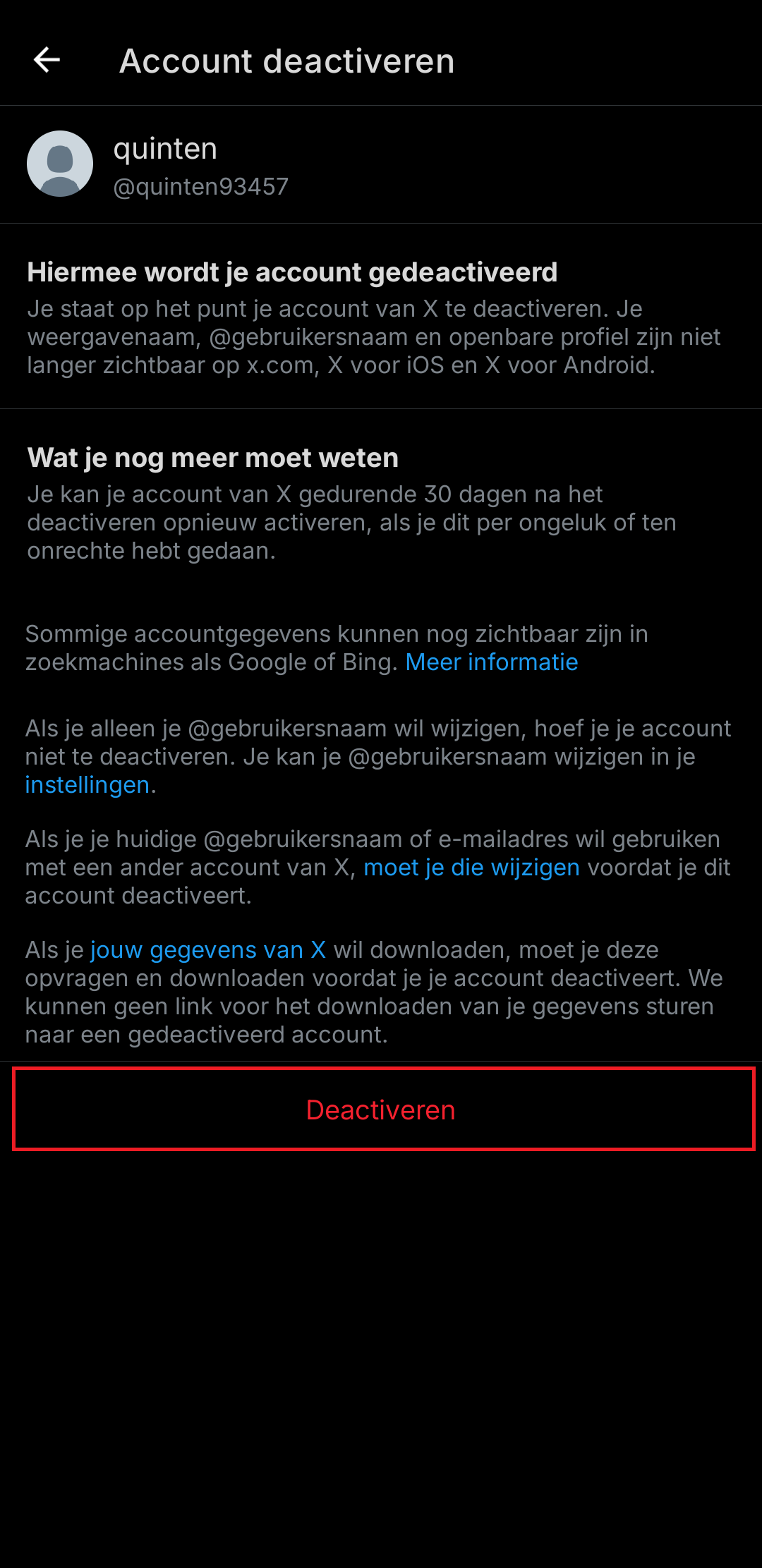
• Your account will remain deactivated for 30 days before it is really deleted.
• Your username and profile are no longer visible during that period.
• Some data, such as old tweets, can still remain visible through search engines.
Press at the bottom Deactivate. Then fill your password again to confirm that you really want to deactivate it. Then your account was deactivated unless you log in again within 30 days. Then your account will be activated again and you have to wait 30 days again.
(article continues under the image)