
Apple has been providing CarPlay with regular updates lately. With iOS 26.2, CarPlay gets two new functions!
CarPlay gets two new features with iOS 26.2 (here they are)
Do you have a car with CarPlay? Then we have good news! With the upcoming update to iOS 26.2, CarPlay will receive two new functions that will make your car journey just that little bit more pleasant.
1. More widgets on your screen
Widgets are small, useful apps such as weather information or a shortcut to your music. With iOS 26, these widgets also came to CarPlay. In iOS 26.2, Apple plans to further expand the widgets.
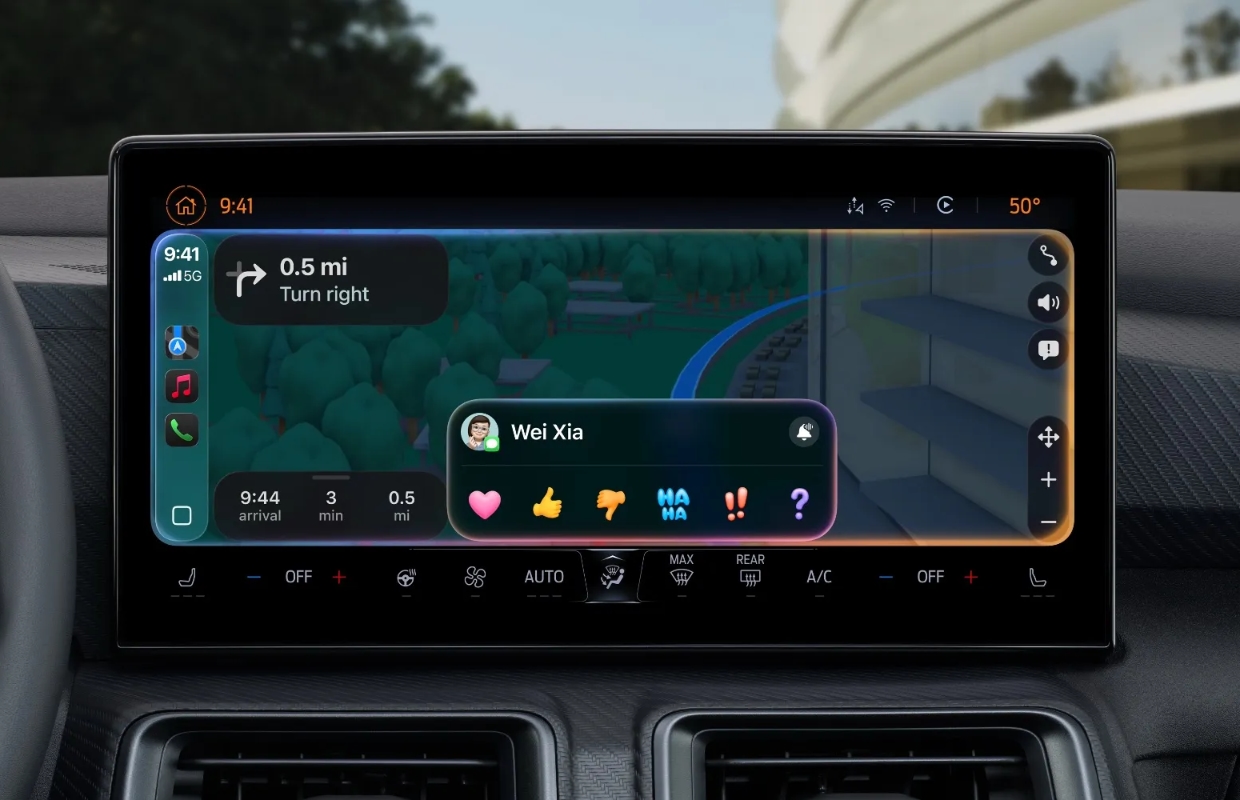
You can then place more widgets on the screen. But not all users who have iOS 26.2 installed will get the option. Apple hasn’t specified exactly which cars will support this new feature. It probably has to do with the size of the screen. There is no other option than to try it out yourself in your car as soon as the update is available.
2. Turn off message conversations
CarPlay’s Messages app previously had the option to show pinned conversations. But not every driver found this option useful. Because on smaller screens it could get a bit messy.

That is why you can set in iOS 26.2 that the pinned conversations are visible or not. Do you turn off the pinned messages? Then you will only see recent conversations in the message list.
This is when the update comes
According to rumors, the iOS 26.2 update with the new functions for CarPlay will be released in December. In addition to the improvements in CarPlay, new features are also coming to your iPhone.
For example, there will be a new slider in the lock screen settings. This allows you to adjust the degree of Liquid Glass for the clock. In addition, Live Translations via AirPods are coming to the EU and improvements are being made to the Podcasts app. You can read more information in the article about iOS 26.2.
Do you want to know immediately when the new version of CarPlay is available? Then sign up for our newsletter and we will automatically keep you informed from now on!

Download the iPhoned app
