
Many people suffer from holiday stress in December, but luckily you can do something about it yourself – and these iPhone tips will help you!
You can prevent holiday stress with these iPhone tips
Holiday stress is the built-up tension due to expectations, busyness and obligations surrounding the holidays. It helps if you don’t set the bar too high, don’t act like yourself and clearly indicate your limits. In addition, these iPhone tips can also give you a helping hand!
1. Send Christmas cards with an app
Sending Christmas cards is probably stressor number one, because you have to take care of this first and foremost. Fortunately, you no longer have to search through all weather conditions for one of the few remaining mailboxes. You can also send your Christmas cards from your couch via an app.
With the app MyPostcard Send cards App choose one of the Christmas cards on offer. You can then make that card more personal, possibly by adding one or more photos. Finally, you can also simply send the card via the app.

2. Use AI to create a playlist
If you’re already suffering from holiday stress, you shouldn’t put together a whole new playlist of Christmas songs. So then you can fall back on the playlist you use every year, or let AI do it for you!
With the app AI Playlist Maker: PlaylistAI it’s very simple. You describe what kind of playlist you want (and also indicate what you don’t want in it) and the app creates it for you. Adjust anything if desired and then send the playlist to Spotify, Apple Music or another music service. That’s it! The only limitation is that you have to do it in English.

3. Make a Christmas background from emoji
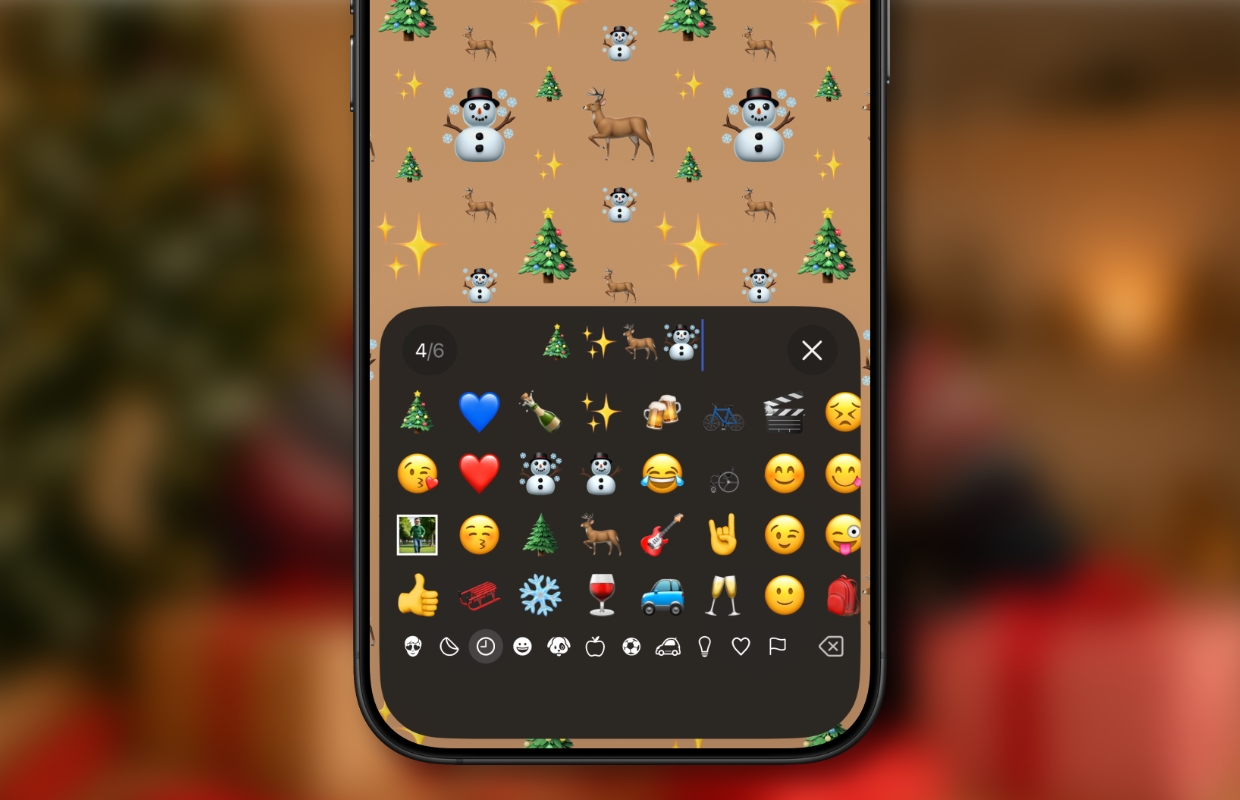
To get into the right atmosphere, use a Christmas background on your iPhone. You can choose one of our wallpapers, but you can also create something yourself with emoji. This is how you do it:
- Open the Settings app and tap ‘Wallpaper’;
- Tap ‘+ Add new wallpaper’;
- Tap the yellow emoji button at the top;
- Remove the current emoji with backspace;
- Type up to six of your favorite Christmas emoji;
- Tap anywhere on the screen above the keyboard;
- Swipe horizontally across the screen for different patterns;
- Tap Done at the top right.
4. Use Steijn from Albert Heijn for Christmas dinner
The Albert Heijn app already contains many ideas for Christmas dinner in December, but you can also use AI assistant Steijn if you want to make it a bit more personal. Ask for ideas and if you already have them, ask for preparation methods. It works like this:
- Open the Albert Heijn app;
- Tap ‘Cook’ at the bottom;
- Under ‘Quick to’, tap ‘Ask Steijn’.
Now you can ask all your questions to Steijn from Albert Heijn at the bottom.

5. Photograph Christmas lights
You also don’t have to experience holiday stress when photographing Christmas lights. As long as you know what to look for:
- Turn off the flash. This provides harsh light and thus ruins the warm glow of the lights.
- Use night mode. This switches on automatically in low light. You can adjust the exposure time (press and hold the yellow moon). The darker it is, the longer you can set the exposure time.
- Use a tripod: Especially when you use a longer exposure time, it is important that you do not move your iPhone while photographing. A tripod is your best option. If you don’t have one, try stabilizing your iPhone on a sturdy surface. It also helps if you use the self-timer.
If you want to make Christmas lights blurry in your photo (bokeh), use portrait mode. Focus on a closer object (for example a Christmas bauble), while the lights in the background become blurred. Not blurry enough yet? then reduce the F value. You do this by swiping up from the bottom and tapping ‘Aperture’. Set the slider at the bottom to f/1.4, for example. If that is too extreme, increase the value slightly.

More iPhone tips?
Did you like these iPhone tips and want more? On iPhoned you can read useful tips and tricks for your iPhone every week. Check out the most recent tips below!
-
Holiday stress? You can prevent it with these 5 smart iPhone tips!
-
Spotify has an annoying CarPlay bug – here’s how to fix it yourself
-
Your Apple Watch has a secret code: you can find it here
-
Beware: new scams via WhatsApp – turn this feature off immediately
-
iPhone tips: 10 hidden iPhone features that come in handy every day