
Spotify has added three new features, which are now available in the application. Here you will find all the new features!
New Spotify features
Another update for Spotify is available! The music service has added a series of new features to the application. The new Spotify features make it easier to sing along to your favorite songs. The lyrics of all songs in Spotify have been expanded with three useful improvements. Are you curious about what has changed? We list all the new features for you!
1. Dutch translation
Do you regularly listen to songs in another language? In that case it is sometimes difficult to understand the content of the song. A new Spotify function changes this, because from now on you will see the Dutch translation below the lyrics of a song. This way you can see exactly what the lyrics mean in Dutch and what the message behind a song is. Here you will find the Dutch translations:
- Open the Spotify app;
- Search for a song in another language;
- Go to the media bar at the bottom of the screen;
- Tap on the three dots at the top right of the screen;
- Select ‘Lyrics • Off’;
Are the lyrics already on? Then you can skip this step.
- Swipe down the screen;
- Finally, tap the Translate button above the lyrics.
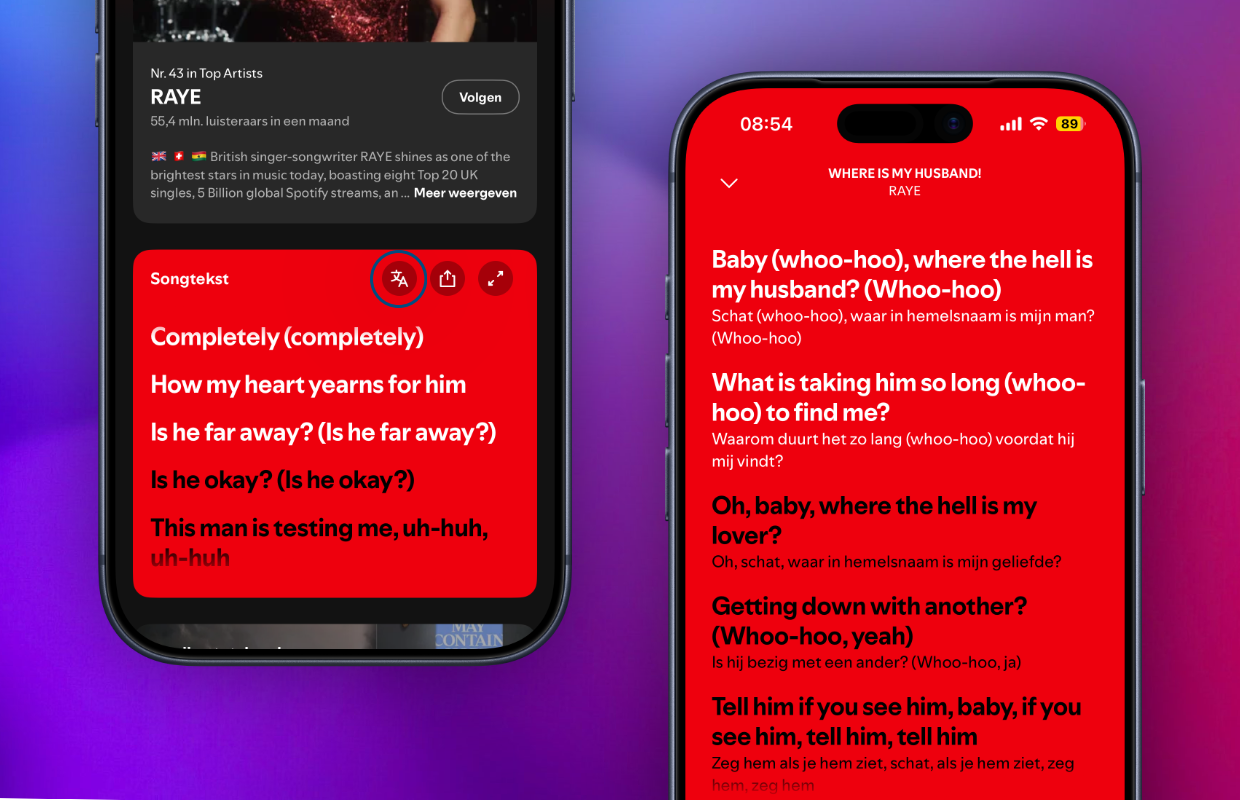
Have you pressed this new button in Spotify? In that case, lyrics will be enabled for all songs. The Dutch translation of the song appears below the original text in the new version of Spotify. The new Spotify feature is being rolled out gradually and does not yet work with all songs. It is therefore possible that the Dutch translation does not yet appear with your favorite song, it will be added at a later time. These translations are available to all users, regardless of your chosen subscription.
2. Offline song lyrics
With the Spotify Premium subscription it has been possible to download songs, albums and playlists for years. You can then listen to this offline if you do not have an active internet connection. This is especially useful if you are traveling, for example, as you can continue listening to downloaded songs on the plane. Premium users now have a new Spotify feature, because the lyrics of songs are now automatically downloaded.
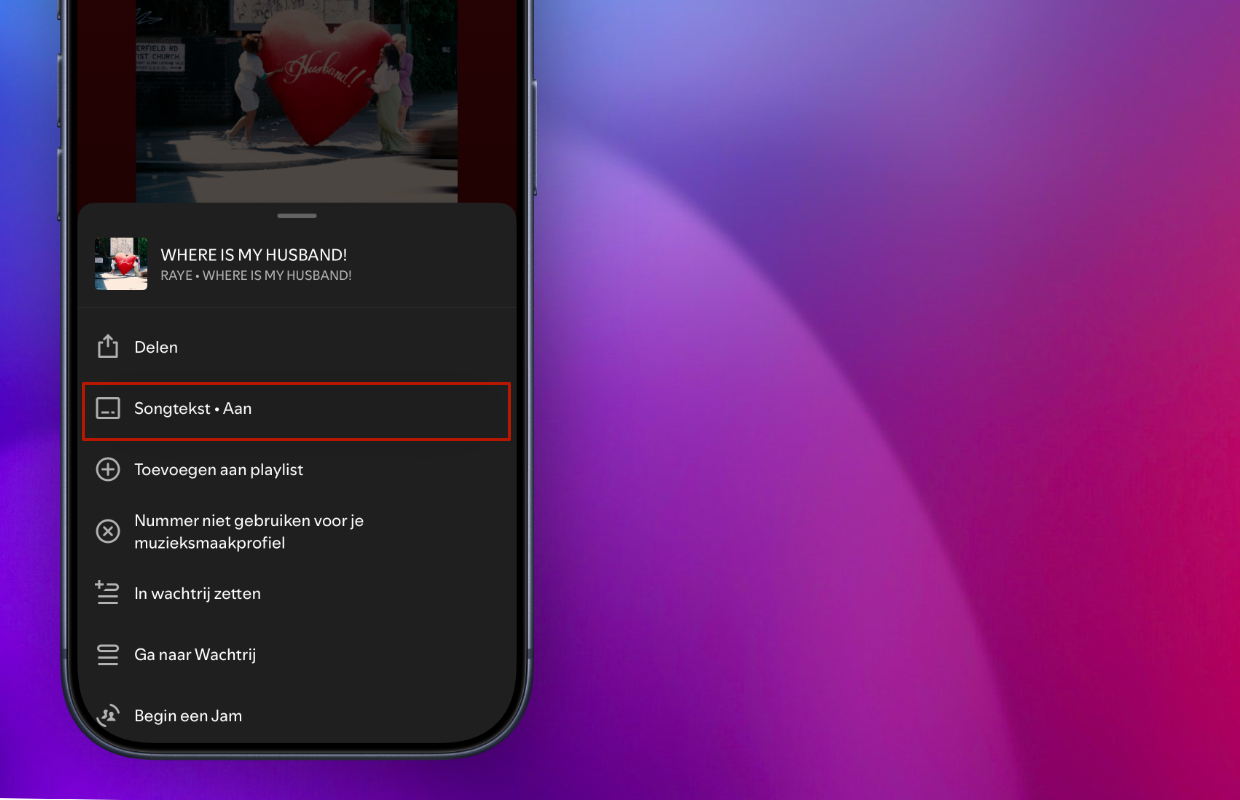
Have you downloaded songs, playlists or album in Spotify? In that case, you can also activate the lyrics of these songs without an internet connection. They are saved by default when you download a song, so you do not need to adjust Spotify’s settings. You will find the lyrics in the same place as the translations of songs, just press the three dots at the top right of a song and switch on ‘Lyrics’.
3. Previews in Spotify
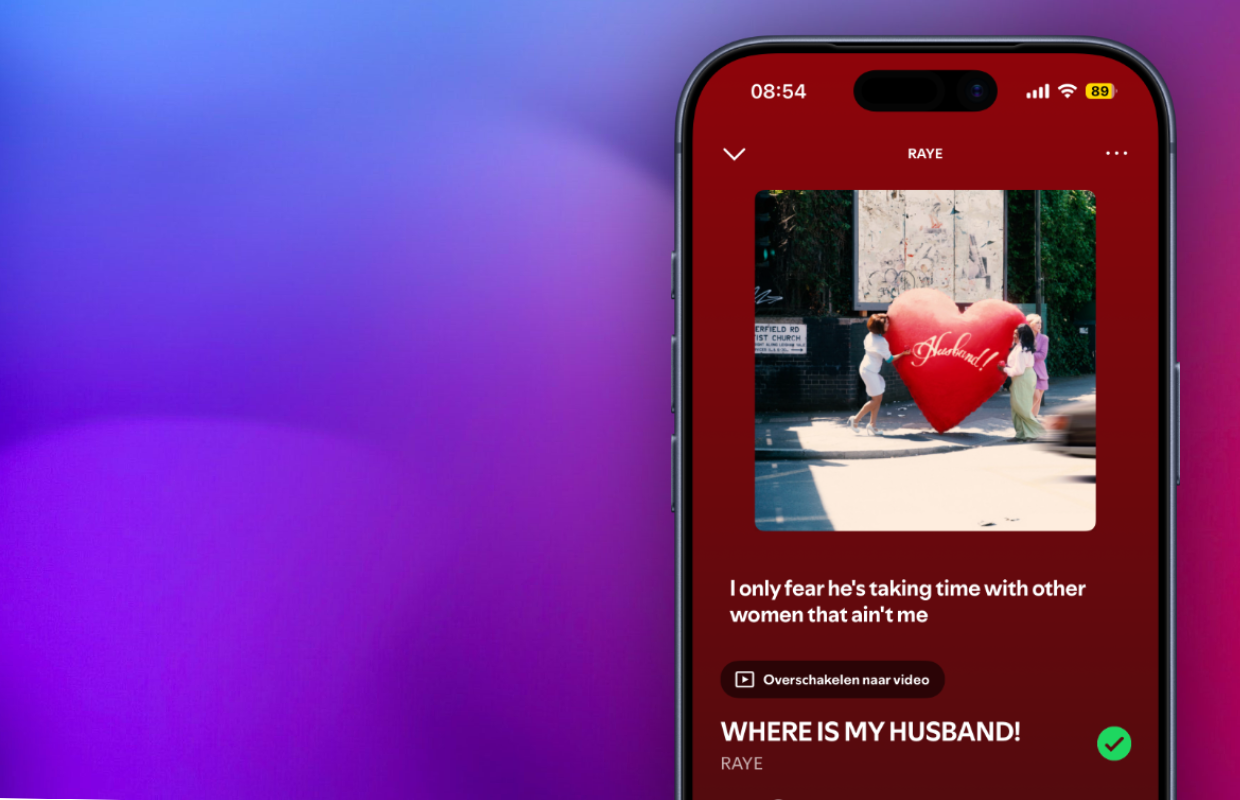
You can view song lyrics in Spotify not only offline and in Dutch, but also in several places in the application. Do you have lyrics enabled? Then the new Spotify function will appear on the screen by default with the cover of a song. In previous versions of the application you had to scroll down to see the lyrics of a song, but that is no longer necessary.
Below the cover of the song, one line appears with the lyrics that are currently playing. This way you can see at a glance what the lyrics of the song are. Translations are not (yet) available in this view, so you must select the full-screen lyrics. This new Spotify feature is immediately available to both free and paying users.
More about Spotify
Spotify has added three useful functions that make it easier to sing along to your favorite or new songs. The expanded lyrics also make it easier to understand the content of all the music, so the artist’s message is better conveyed to listeners. Did you find this tip useful and would you like to know more about Spotify? Then sign up for our daily or weekly newsletter so you always stay informed about new features!

Download the iPhoned app
