
Be careful if you regularly use WhatsApp, because spam is becoming increasingly common. Enable this feature to prevent spam calls in WhatsApp!
Spam in WhatsApp
Do you regularly receive calls from unknown numbers via WhatsApp? Then there is a good chance that you are dealing with spam in WhatsApp. Criminals try to steal data from users in the messaging service with calls from unknown numbers. They call from an unknown or anonymous number in WhatsApp, possibly pretending to be someone else. In this way they try to find out important login details or other sensitive information.
So pay close attention if you ever receive calls from unknown numbers in WhatsApp, because these calls can be more dangerous than you think. WhatsApp has now taken several measures against spam, so you can decide for which users information such as your name and profile photo is visible. That’s not all, you can also mute calls from unknown numbers to prevent spam. We will tell you where you can find this useful function in WhatsApp.
Text continues below the video.
@iphonednl Do you also receive calls from UNKNOWN numbers on WhatsApp? This way you block them for good!📵📞😮💨 🪄 #whatsapp #whatsapptips #whatsapptricks #whatsapphacks #whatsappupdate #privacy #spambellers #tipsandtricks #spamcalls #hack #techtoktips #fyp ♬ Blade Runner 2049 – Synthwave Goose
Mute unknown callers
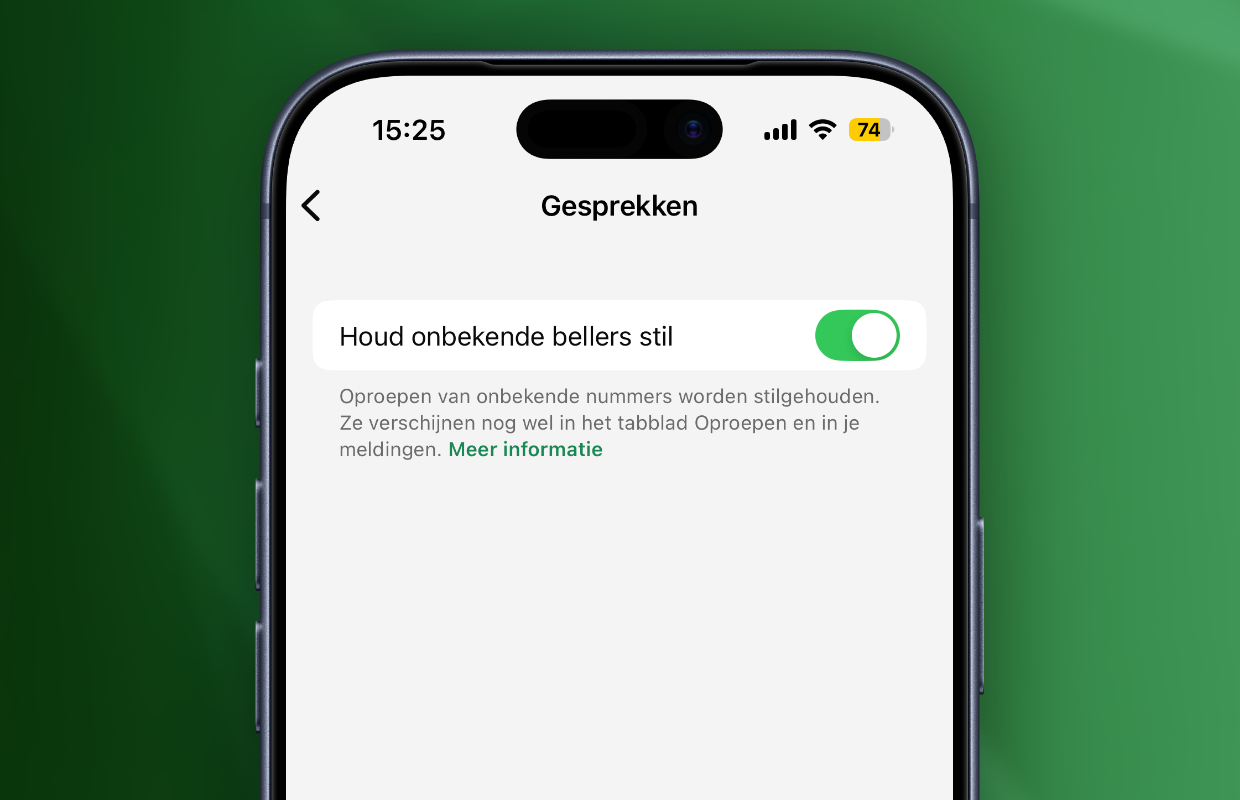
Spam in WhatsApp is most often spread via unknown numbers. You receive messages from a strange number or a call from an unknown caller. WhatsApp has introduced a useful feature for the latter, because you can mute unknown callers in the application. For example, your smartphone will no longer ring when you receive a call from an unknown number in WhatsApp. To do this, adjust the following settings:
- Open WhatsApp;
- Go to ‘Settings’;
- Tap ‘Privacy’;
- Choose ‘Conversations’;
- Turn on Keep Unknown Callers Silent.
Have you enabled the feature in WhatsApp? Calls from unknown numbers will then no longer appear on the screen. You can still receive calls from numbers you have not saved, but these calls will be silenced in WhatsApp. The missed calls are then shown in the ‘Calls’ tab, even if they are from an unknown number. Be careful when calling back, because spam in WhatsApp mainly spreads via unknown telephone numbers.
More about WhatsApp
With the function in WhatsApp, your account is better protected against possible spam. Do you regularly receive calls from unknown numbers, for example for medical or business appointments? This is still possible in the Phone app on your smartphone. Calls from unknown numbers are not silenced there, this only applies to incoming calls in WhatsApp. You will therefore only miss calls from unknown numbers in WhatsApp, but you will remain reachable via the Phone app.
It is advisable to keep unknown callers silent in WhatsApp, so that your account is less vulnerable to possible spam. Important business or medical calls usually come through the Phone app, so you won’t miss them if you silence unknown calls in WhatsApp. Did you find this tip useful and would you like to know more? Then sign up for our daily or weekly newsletter so you always stay informed!

Download the iPhoned app

Subscribe to our newsletter