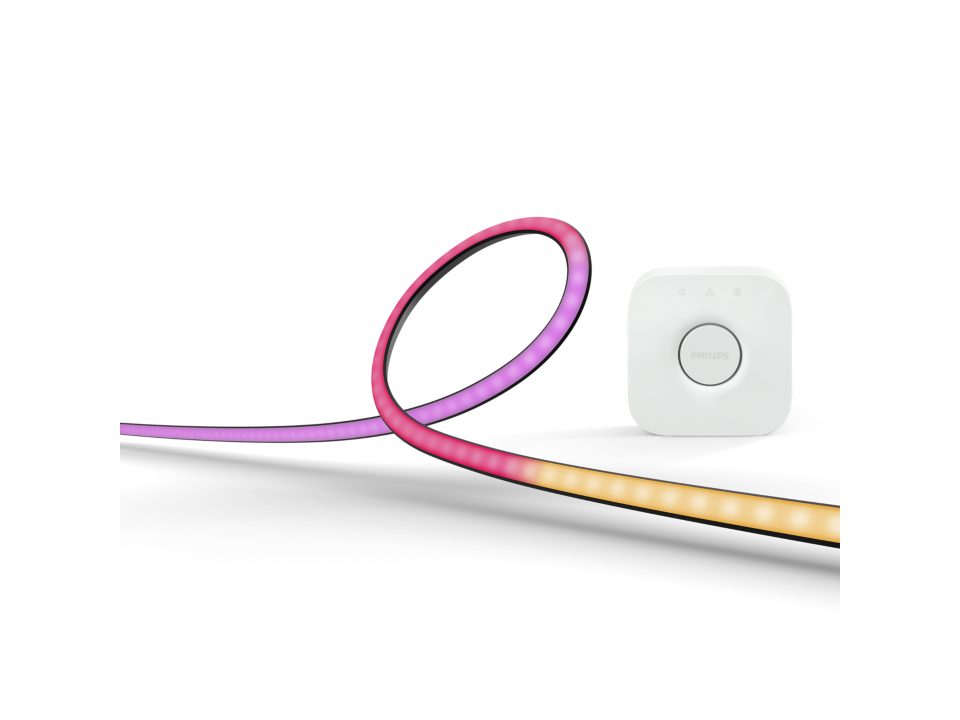
With Ambilight you get colors behind and around your TV. With the Philips Hue Play Gradient Lightstrip 32-34” Starter kit, you get an intense experience of images and music on your PC with a smart light strip on your monitor.
Adam Munsterman
The Philips Ambilight TVs are a well-known phenomenon where a light strip around the image provides atmospheric lighting. By extending the colors of the image outwards – by projection onto the wall – a more intense viewing experience is provided.
Phillips Hue
Philips has marketed light strips through the Hue product line that make Ambilight technology available for almost every PC screen or television. We look at and test the light strip that has been developed for a PC screen with a screen diameter of 32 to 34 inches. It is a kit that includes the light strip, mounting hardware, a Zigbee bridge and the power adapters.
Play Gradient Light Strip
This strip works together with the basic architecture of the smart lighting sold by Philips Hue. The central control is done via a so-called bridge that links the smart network to your home network. The smart lamp products are controlled from that bridge via the Zigbee protocol. The light strip, for this kit with a length of 116.5 cm, is equipped with a receiver and power adapter. The strip is linked to the bridge via a number via the Philips Hue app. The synchronization from PC to light strip is performed by the Hue Sync application available for Windows and macOS.
Hue Sync app
With the Hue Sync app you can switch the light strip on and off and start and stop the synchronization. There are 4 modes available: Scenes, Games, Music and Video and the intensity can be set to Subtle, Moderate, High and Extreme. The brightness can be controlled with a slider and can therefore be used in line with the light intensity of the screen.
Finally, there is also an option to use additional audio in addition to video to determine the effects. Global settings are also available in the Hue Sync app settings and games can be set with preferences.
Installation
We installed the bridge and connected the light strip to a 32 inch screen. This is easy to do by following the instructions in the app. A point of attention is that an Entertainment room must first be created in which the equipment with light strip is located. The Fluid SIM Test video can be started on Youtube, with which the color synchronization can be tested and the light intensity and other settings can be adjusted.
Test
We have tested the strip intensively and see that maximum performance is achieved when using a light back wall with optimal reflection. As with the TVs with Ambilight, it gives a more intense viewing experience. For TV enthusiasts who want to add Ambilight to a TV that does not have it as standard, sets are available for TVs from 55 inches. The synchronization takes place via a Play HDMI Sync Box.
Conclusion
The Philips Hue Play Gradient Lightstrip 32-34” Starter kit is an easy to install and high-quality product. It offers many synchronization functions and not only gamers will be very happy with this Philips Hue light strip, but also others who appreciate nice gadgets. The downside is that it isn’t cheap.

Philips Hue Play Gradient Lightstrip 32..34” Starter Kit
Price: €219.99
Advantages:
+ nice working product
+ many synchronization functions
Disadvantage:
– price