
Apple Intelligence is available in Dutch! Wondering how to enable Apple Intelligence? This way you get a lot of features!
Apple Intelligence
A new software version is available for the iPhone! Apple has released iOS 26.1, bringing big changes to your iPhone. Apple Intelligence is available in Dutch for the first time, meaning you can finally enable all the new features in the Netherlands and Belgium. That is good news, because it means that almost all applications will have more useful features that work with artificial intelligence.
Apple announced Apple Intelligence in 2024 when introducing iOS 18. The new technology works with artificial intelligence and brings a series of useful functions to your iPhone. Apple Intelligence has been in use for some time in the United States and a number of European countries, but the Netherlands and Belgium had to make do without the new technology. iOS 26.1 has changed that, because you can finally enable Apple Intelligence.

This is how you enable Apple Intelligence
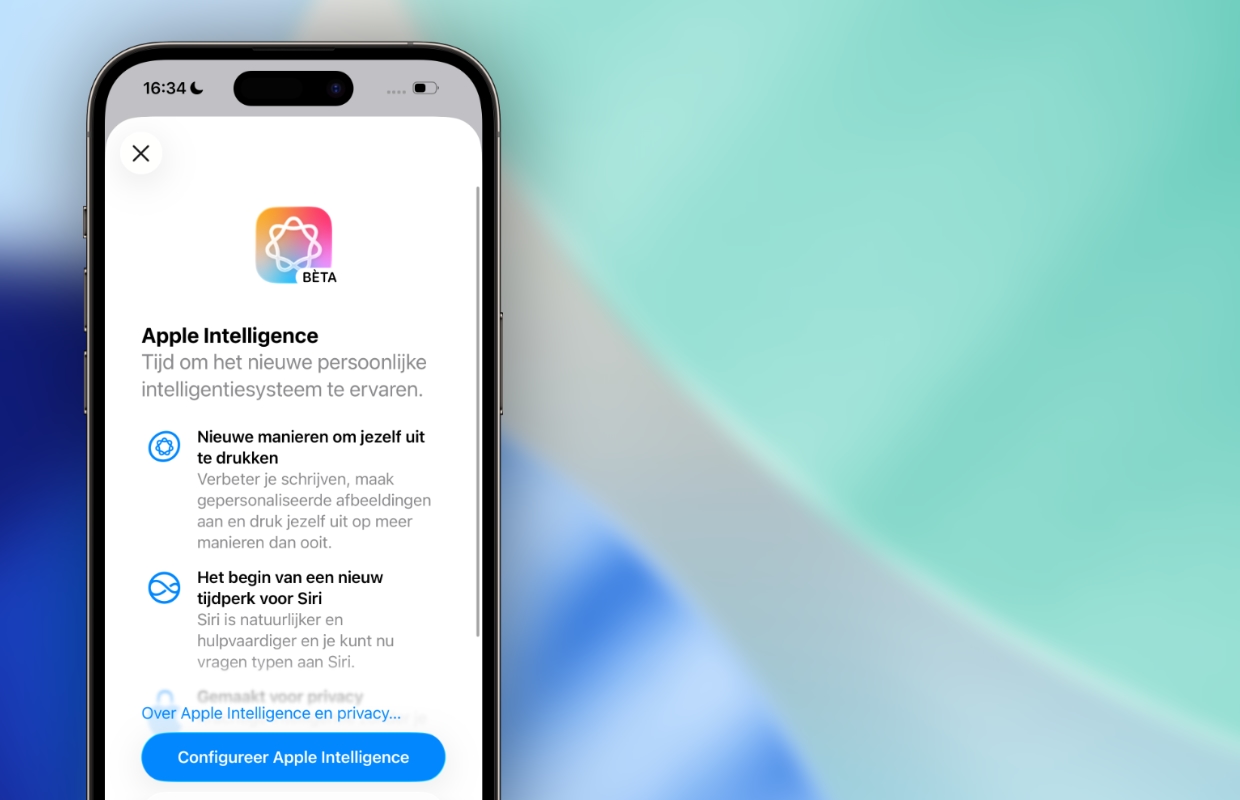
Your iPhone will get many new features with iOS 26.1, but you will need to enable Apple Intelligence for this. Unfortunately, not all iPhones work with the new technology, Apple Intelligence is only available on the iPhone 15 Pro (Max) and newer. Do you have a recent iPhone? In that case, Apple Intelligence is now available in Dutch. You enable all the new features on your iPhone as follows:
- Open ‘Settings’ on your iPhone;
- Go to ‘Apple Intelligence and Siri’;
- Tap ‘Turn on Apple Intelligence’;
- Choose ‘Configure Apple Intelligence’ and follow all the steps to enable Apple Intelligence.
Does Apple Intelligence not appear in Dutch? To enable Apple Intelligence in Dutch, Siri must be set up in the same language. Therefore, make sure that you have set Siri to ‘Dutch (Netherlands)’ or ‘Dutch (Belgium)’. You can then activate Apple Intelligence on your iPhone. It usually takes a while before all new features are installed, your iPhone will automatically notify you when Apple Intelligence is ready for use.
Many new features
Have you installed Apple Intelligence and is the new technology installed on your iPhone? In that case you will have many new functions. With Apple Intelligence, almost all applications are expanded with a handy Writing Assistant that summarizes, improves and rewrites texts for you. This way you no longer have to compose emails yourself, but you can use the Writing Assistant for this. With this help you can also create lists and tables.
In addition, your iPhone will receive a completely new application, because Image Playground is automatically installed together with Apple Intelligence. With this app you can compose images and pictures yourself. That’s not all, because with Apple Intelligence you can also create Genmoji. These are emoji, which you create yourself with the help of artificial intelligence. Do you want to know more? Read all about Apple Intelligence here! Also sign up for our daily or weekly newsletter to learn everything about Apple Intelligence!

Download the iPhoned app
