
Apple is working on iOS 26.3 and brings three new wallpapers to your iPhone with the update. This is what they look like!
iOS 26.3
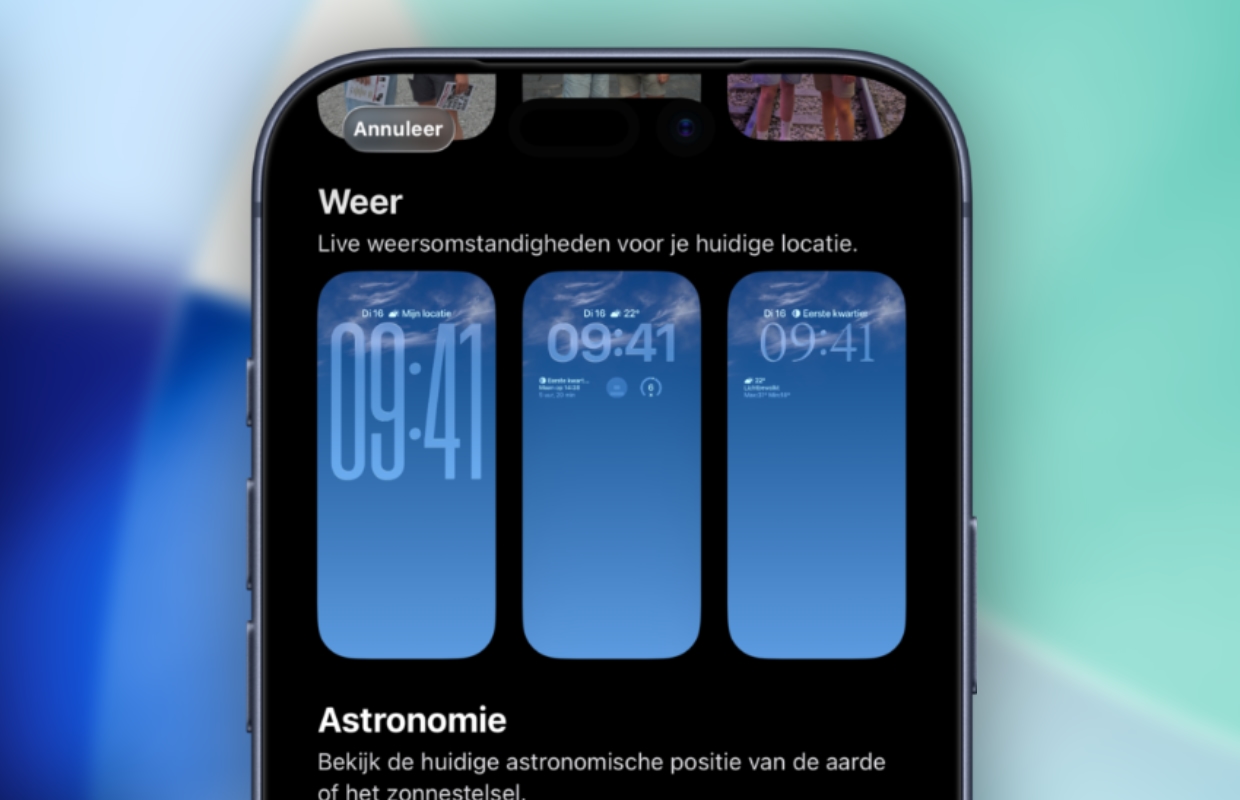
New wallpapers are coming to your iPhone! Apple is working on iOS 26.3, the next software version for the iPhone. With iOS 26.3, Apple not only introduces more features, it also adds new wallpapers. In iOS 26.3 beta 1, Apple added three new wallpapers for the iPhone. These are designed in the theme of the Weather app, so the wallpapers come standard with handy widgets that provide information about the weather.
Each background has its own design. For example, the time is displayed in a different style and they have different widgets. The information in the widgets is the same, as all components share data about live weather conditions for your current location. Does that sound useful and are you curious what the backgrounds look like? Check out the new wallpapers for your iPhone in iOS 26.3 here:
Custom layout wallpapers
The new wallpapers are not only designed in the theme of the Weather app, but are also synced with the application. This way the wallpaper adapts to the current weather situation. In rainy weather, rain appears in the background, when it is sunny you see sun rays on the wallpaper. This way you not only have a different background every time, but you also immediately know what the weather is like outside.
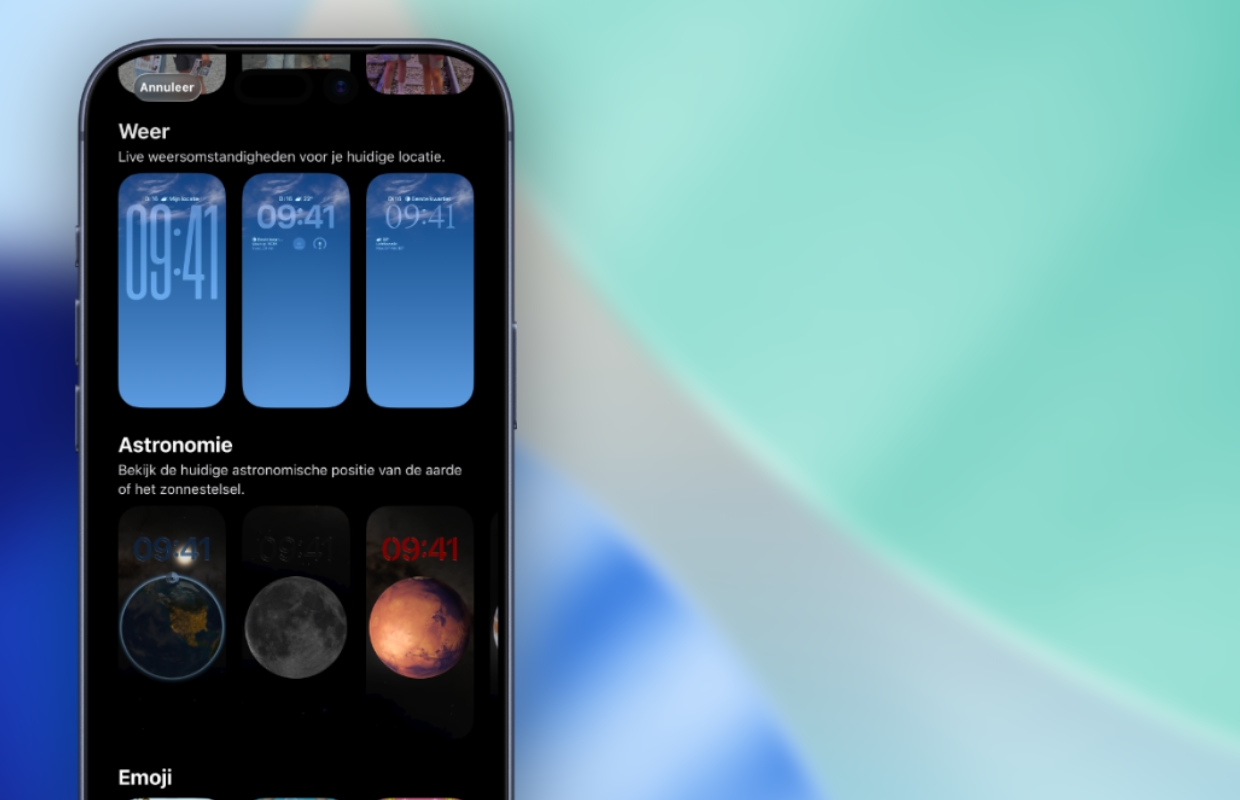
Apple not only adds more backgrounds in iOS 26.3, but also adjusts the categories of the wallpapers. While the Weather and Astronomy wallpapers currently fall under one category, Apple divides the wallpapers into two groups from iOS 26.3. There is therefore a good chance that more wallpapers in the theme of the Weather app will follow in the future. For the time being, you have much more choice under the ‘Astronomy’ category than under ‘Weather’.
More about iOS 26.3
With iOS 26.3 you have a choice of more wallpapers for your iPhone. Apple will make more changes in the next software version to make it easier to transfer data from your iPhone to an Android device. A new feature ensures that all photos, notes, messages and applications can be transferred to an Android device without any problems. The same applies the other way around, because Google has introduced a function that improves transferring to an iPhone.
Furthermore, third-party smartwatches are finally getting support for receiving notifications via your iPhone. This feature is currently exclusive to the Apple Watch, but from iOS 26.3, for example, a Samsung smartwatch can also receive notifications from your iPhone. Do you want to know more about iOS 26.3? Read all about the next software version for your iPhone here. Also subscribe to our daily or weekly newsletter so you don’t miss any important updates!

Download the iPhoned app
