
Be careful if you use Spotify! A new Spotify feature tells all your friends what music you’re listening to. This is how you prevent that.
New Spotify feature
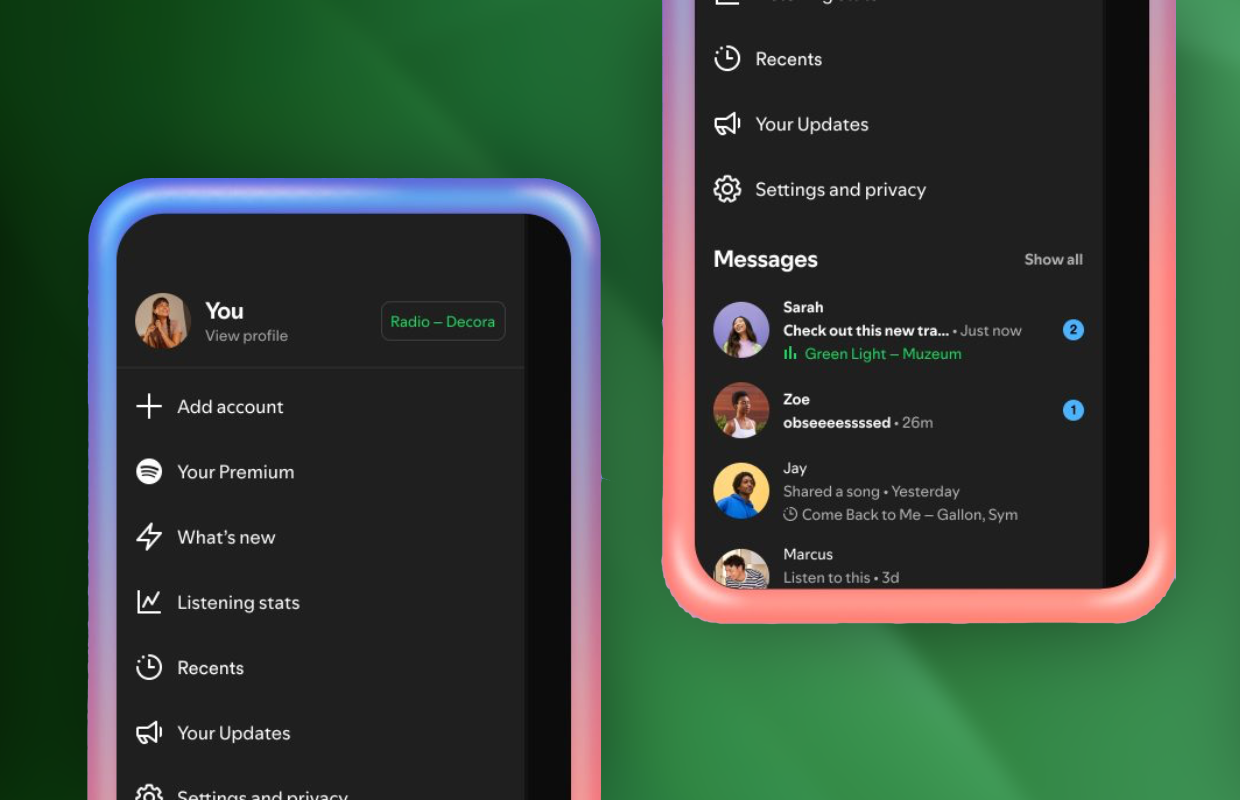
Another update for Spotify is available! In the new software version, Spotify adds a function that has been available for some time on the desktop and web version of the music service. Listening activity now shows what music you listen to on Spotify. This way, your friends can see exactly which songs and artists you are playing at any time. So pay close attention, because Spotify can reveal your music taste without you even realizing it.
Listening activity also shows what music your friends are listening to, so you can easily discover new songs and artists. Still, the new feature doesn’t mean good news for everyone, as you may prefer to hide your music taste from friends. In that case, it is also possible to hide listening activity from certain friends or even disable it completely. This is how you do it!
Hide listening activity
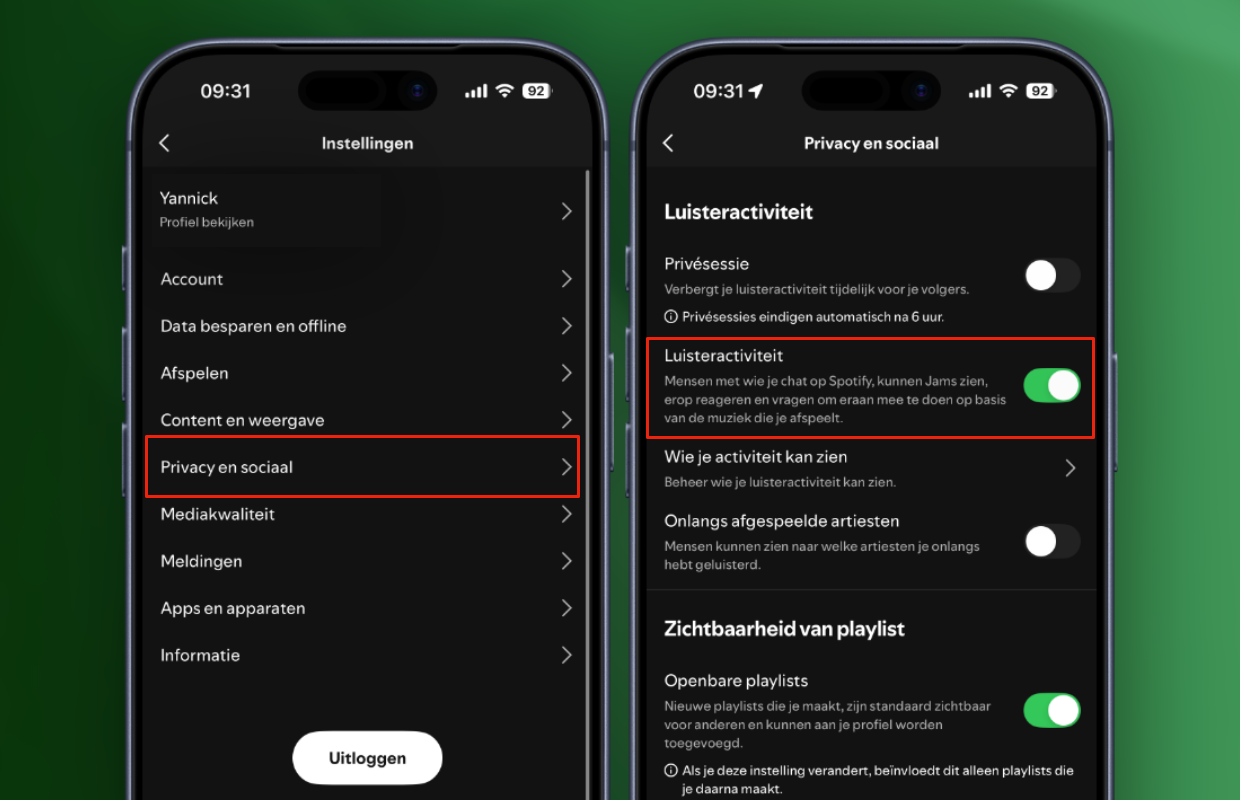
Listening activity in Spotify’s application is only visible to friends and family, with whom you have a private conversation in the app. Are you not listening to music in Spotify for a while? In that case, your last listened song will be shown. With the new Spotify function you can better see what music everyone is listening to, but only if you want to. Turning off listening activity is the best option if you prefer to keep your music tastes private. To disable the feature:
- Open ‘Spotify’ on your smartphone;
- Go to the ‘Home’ tab;
- Tap your profile photo at the top left;
- Go to ‘Settings and privacy’;
- Choose ‘Privacy and social’;
- Turn off the switch behind ‘Listening activity’.
Do you want to share your listening activity with certain contacts? In that case, you can also enable or disable the function per conversation in Spotify. To do this, go back to ‘Settings and privacy > Privacy and social’ and turn on the switch behind ‘Listening activity’. Tap ‘Who can see your activity’ to select which friends can see what music you’re listening to. This way you decide for whom the new Spotify function with your recent music is visible.
More about Spotify
Listening activity in Spotify is a useful addition, but only for users who have nothing to hide when it comes to their music tastes. The new Spotify function not only reveals which music you play, other users can also see which Jams you participate in. They can respond to the Jam via listening activity and ask to participate. Don’t you want that? Then immediately disable the new Spotify function.
Spotify also offers the option to temporarily hide your listening activity. To do this, enable the ‘Private session’ function under ‘Settings and privacy > Privacy and social’. This setting hides your listening activity from all users for six hours, so you can listen to whatever you want. Please note, because listening activity automatically switches on after six hours. Did you find this tip useful? Then sign up for our daily or weekly newsletter so you always stay informed about the latest Spotify features!

Download the iPhoned app
