
Do you often wear an Apple Watch? Then you need to know this smart trick, because it makes your Apple Watch much better and clearer!
Trick for the Apple Watch
Apple not only adds new functions to the iPhone every year, the Apple Watch is also regularly expanded with useful features. There is therefore a good chance that you do not yet know all the options of your Apple Watch, especially if you mainly use the smartwatch for tracking health data. The Apple Watch has a lot of features, but not all of them are easy to find. A handy trick for the Apple Watch changes that.
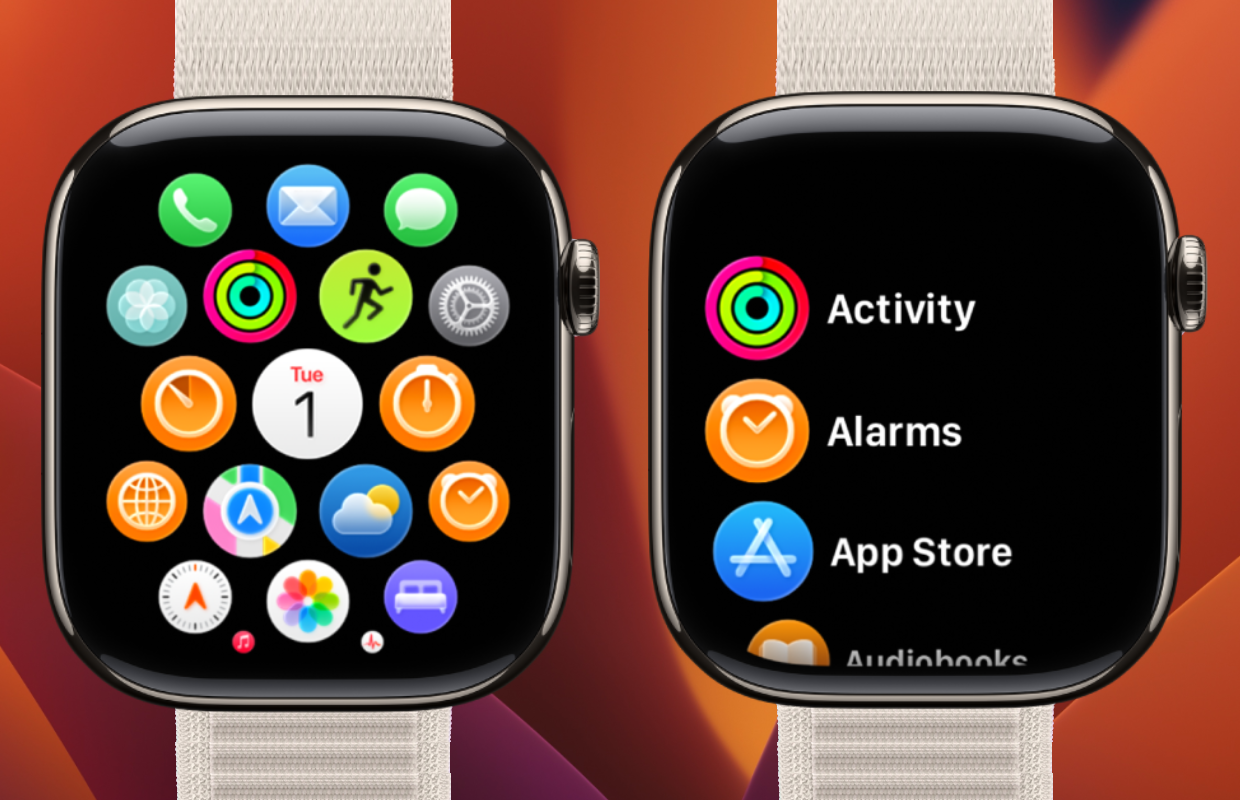
While on the iPhone you see a clear list of all applications you have installed, this is not the case with the Apple Watch. Instead, all apps appear in a grid. The advantage is that you see many applications at once, but this makes them much more difficult to find. Apple has therefore introduced a clever trick that allows you to change the appearance of all apps on your Apple Watch. This is how you do it!
Change app view in watchOS
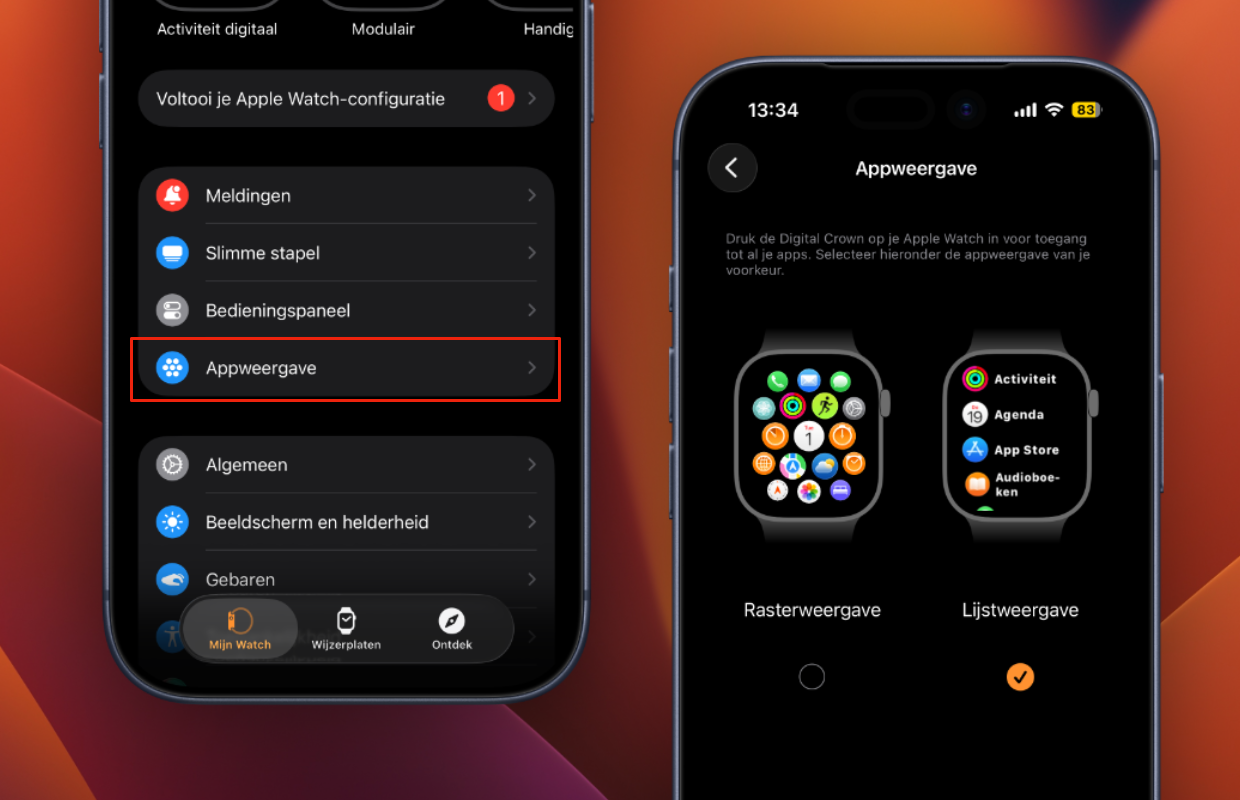
Do you regularly spend (too) long looking for applications on your Apple Watch? It is then advisable to change the grid view to list view. If you choose the latter, all apps will appear in a list on your Apple Watch. All applications are then listed in alphabetical order with their names, so you no longer have to search for apps in watchOS. This is how you change the appearance of all applications:
- Open the Watch app on your iPhone;
- Go to the ‘My Watch’ tab;
- Tap ‘App view’;
- Finally, choose ‘List View’.
You can also adjust the app view on the Apple Watch itself. To do this, press the Digital Crown and go to ‘Settings > App view > List view’. With list view, your Apple Watch works much better and faster, because this view puts an end to the search for a specific application in watchOS. Instead, you know exactly where to look in the alphabetical list of all apps.
More about the Apple Watch
The list view ensures that you can navigate to an application on your Apple Watch much faster. Apps that start with one of the last letters of the alphabet are an exception, because they are at the very bottom of the alphabetical list. This trick will save you a lot of time on your Apple Watch, so you no longer have to search for an application without a grid view. It helps that you also see the name of each app, while in the grid view only the symbols are shown.
This trick is standard part of watchOS and works on all Apple Watches. Is your Apple Watch no longer working properly? And does the smartwatch need to be replaced? Then this is a good time to get a new Apple Watch, because the prices of the latest models have now been reduced. Check out the best prices of the Apple Watch Series 11 and the Apple Watch SE 3 here, so you don’t pay too much for your next Apple Watch:
Apple Watch Series 11 deals
Compare all Apple Watch Series 11 prices
Apple Watch SE 3 deals
Compare all Apple Watch SE 3 prices