
Your iPhone has many useful functions, but it is best to enable one manually every day. This is what this feature is all about!
Enable iPhone feature
Does your iPhone’s battery no longer last all day? In that case, there is a good chance that the battery condition of your iPhone has deteriorated. Newer iPhones have increasingly better batteries, meaning the devices last longer every year. Unfortunately, this does not always remain the case, because batteries age over time. This also applies to the battery in your iPhone, which runs out more quickly after a few years.
Do you want to avoid having an iPhone with an empty battery at the end of the day? Apple has a useful feature, because the energy saving mode ensures that the battery lasts much longer. Power Saving Mode limits or disables certain iPhone background activities to reduce power consumption. You should enable this iPhone feature every day for longer battery life, but you can also set up automation. This is how you do it!
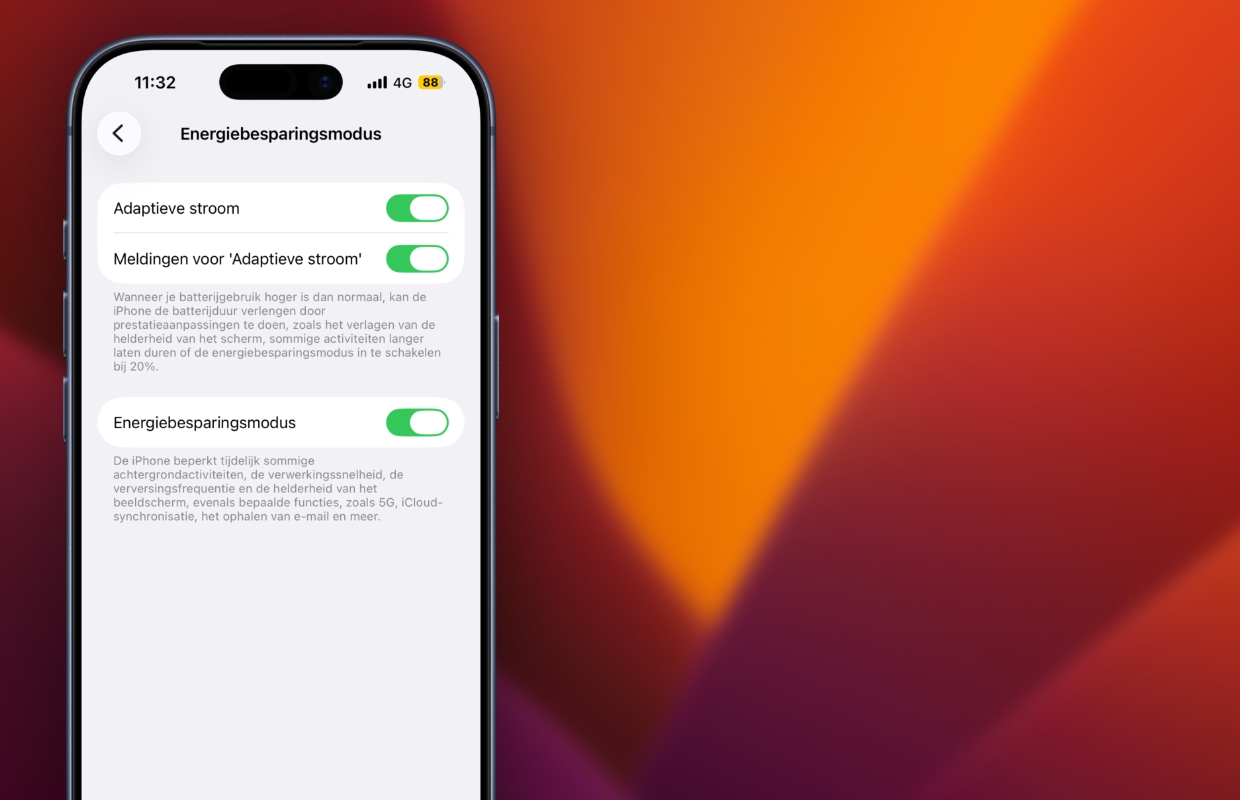
Automate energy saving mode
The power saving mode on your iPhone is a useful way to extend battery life, but it is turned off by default. You can manually enable energy saving mode every day via the Control Center, provided you have added the iPhone function to the menu. Yet there is an easier way, because you can also set up an automation on your iPhone. You can automate the energy saving mode via the free Assignments app:
- Open ‘Assignments’ on your iPhone;
- Tap ‘Automation’ in the bottom menu bar;
- Choose the plus sign (+) at the top right of the screen;
- Scroll down and select ‘Battery Level’;
- Choose the desired percentage under ‘When’;
- Below the slider, tap ‘Less than…’;
- Select ‘Run immediately’ and tap ‘Next’;
- Under ‘Getting started’, select ‘Set Energy Saving Mode’;
- Finally, tap the blue button at the top right of the screen to set up the automation.
Have you set up automation in the Assignments app? The energy saving mode will then start automatically as soon as the selected battery percentage is reached. Especially if you have an older iPhone with a deteriorated battery, it is advisable to choose a higher percentage. The energy saving mode is then active for longer and ensures that your iPhone’s battery lasts longer. Do you want to enable the iPhone feature all the time? Then choose a battery percentage of one hundred percent, the energy saving mode starts at 99 percent.

iPhone feature also has disadvantages
The energy saving mode has a major advantage with its longer battery life, but unfortunately also has several disadvantages. For example, applications are no longer updated in the background, automatic downloads are disabled and the loading of iCloud photos is temporarily interrupted. Your iPhone also sets a thirty-second auto-lock on the screen and the screen brightness is reduced.
On the iPhone 14 Pro (Max) and newer Pro models, the refresh rate is reduced to 60Hz. These adjustments are necessary to ensure that the iPhone consumes less power. Don’t you want that? Then only switch on the energy saving mode if it is really necessary. Do you think a longer battery life is more important? In that case, it is wise to enable the iPhone function sooner, so that the device lasts much longer. Check out more useful tips for your iPhone here:
-
You must enable this iPhone feature every day (for this benefit)
-
iOS 26 still causes major problems on iPhones – here’s how to fix it
-
Spotify has a new smart function (and it is already indispensable)
-
5 useful tips to capture snow really beautifully with your iPhone
-
You must enable this feature of the Apple Weather app (for your safety)
-
This way you can see your friends’ posts on Facebook (and not nonsense)
-
Look after! Your iPhone can handle snow less well than you think
-
This is how you turn your iPhone into a hand warmer (but that has disadvantages)
-
WhatsApp adds hidden feature for all users (and here’s how you get it)
-
This way you can send messages to someone automatically and unnoticed!