
Do you also use your iPhone as an alarm clock? Then pay close attention, because a problem with the iPhone alarm clock will cause you to oversleep. This is how you prevent that!
iPhone alarm clock problem
Have you replaced the alarm clock on your bedside table with your iPhone? Then you are not the only one, because the iPhone has functioned as a full-fledged alarm clock since the introduction of Standby mode. Unfortunately, the Clock app is not working properly for everyone at the moment, because there are problems with the iPhone alarm clock. For some users, the alarm clock has recently stopped making sounds, which means they don’t wake up on time.
Do you use your iPhone as an alarm clock and have you overslept recently? In that case, there is a good chance that your iPhone alarm clock suffers from this problem. Due to a software error, the alarm sound you selected does not play, instead the alarm is muted. It’s unclear how many users are affected by the problem, so it’s wise to check your iPhone alarm settings. This is how you do it!
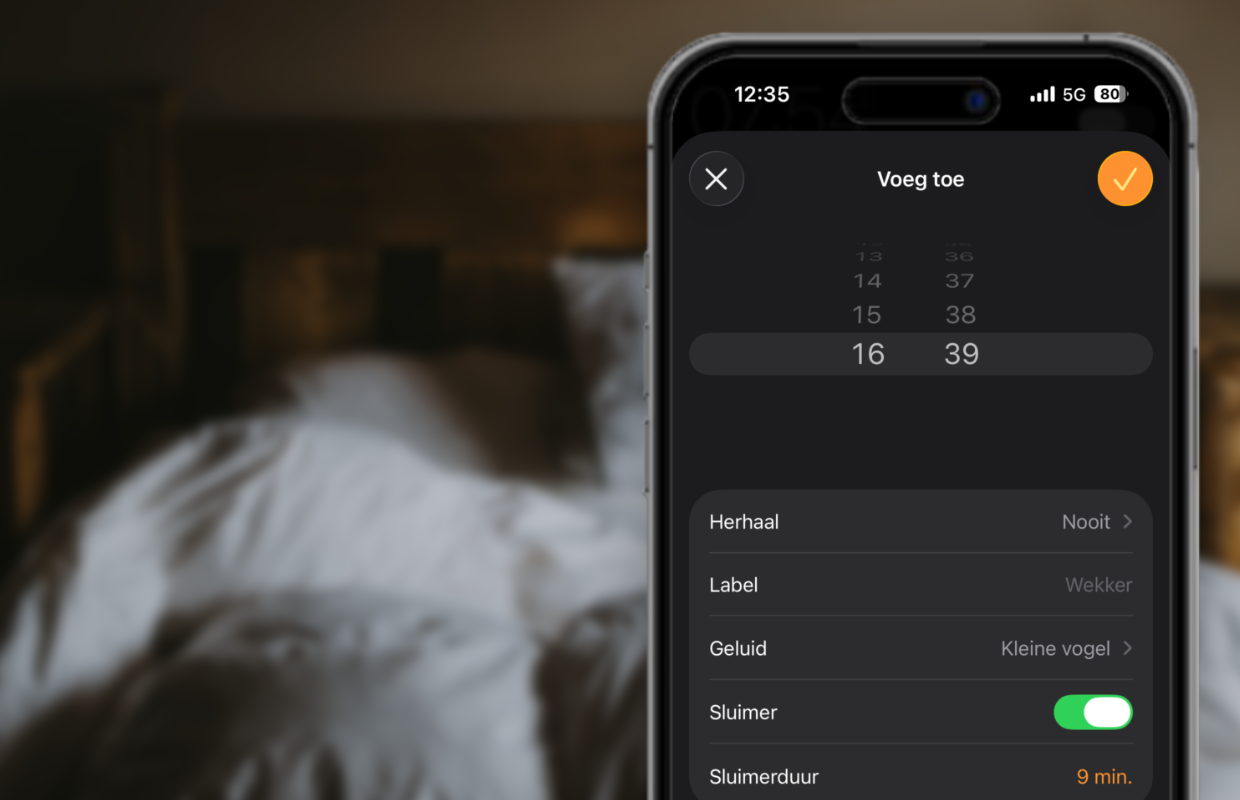
Set alarm sound
Apple has brought a series of new features to the iPhone alarm clock with iOS 26, but this has not been without problems. It is advisable to check whether your iPhone is affected by the problem, so that you can be sure that you will not oversleep in the near future. Each alarm clock on the iPhone has separate settings, which are best checked one by one. This is how you set the alarm sound:
- Open the Clock app on your iPhone;
- Go to the ‘Alarm clocks’ tab;
- Tap an alarm clock of your choice;
- Choose ‘Sound’;
- Finally, select the desired sound.
Does the iPhone alarm clock sound ‘None’ by default, instead of one of the other alarm tones? In that case, your iPhone is suffering from the software error. It’s important that you choose a different alarm sound instead of ‘None’ so that your iPhone plays a sound at the set alarm time. It is still unclear what causes the problem. This may be related to the new alarm sounds that Apple added to the iPhone in iOS 26.

More about the iPhone alarm clock
Apple has not yet responded to the iPhone alarm clock issue. There is a good chance that the company will fix the software error in iOS 26.3, which will be coming to your iPhone this month. In the meantime, it is advisable to manually check all alarm clocks on your iPhone to ensure that they are not accidentally set to silent. This way you avoid waking up too late due to the annoying problem on the iPhone.
The iPhone alarm clock has received a major update in iOS 26. With iOS 26, Apple has brought a range of new alarm sounds to your iPhone. That’s not all, because it has become more difficult to turn off the alarm clock. Where this previously happened with the press of a button, you now have to swipe across the screen to stop the alarm. Read more about the new alarm clock in iOS 26 here. Don’t want to miss any new features for the iPhone? Then sign up for our daily or weekly newsletter!

Download the iPhoned app
