
The time when we only passively checked our energy bill via a monthly debit is now far behind us. We want a grip on our figures, preferably directly from our home screen. Apple users are used to complex processes being reduced to an intuitive and visually appealing experience. Whether it concerns tracking your daily steps, managing your agenda or controlling your smart lighting: we take care of it with a swipe or a tap on our iPhone or iPad. We now see that same need for control and overview in the way we handle our meter cupboard. Energy management has been transformed from an administrative obligation to an active sport that we assess on our display.
The smartphone in your pocket has long ceased to be a simple means of communication, but has become the remote control of your personal household. The arrival of smart meters, dynamic contracts and advanced apps makes it more fun and easier than ever to take control.
The home screen as a dashboard for your power consumption
With the introduction of interactive widgets in iOS, Apple has provided a powerful tool for consuming information at a glance. Where you previously had to manually open an app to see what your solar panels yielded or how much electricity your heat pump consumed, you can now drag that data directly to your home screen. With a quick glance at your iPhone you can immediately see whether you are currently feeding energy back to the grid or whether it is a smart time to turn on the dishwasher.
This visual feedback does something to our psychology. It makes us aware of the invisible energy flows in the home. As soon as you see graphs moving live when you turn on the kettle, you start to recognize patterns. You will move more actively with the yield of your own panels or with the current rates on the market. Minimizing the import needle on your widget becomes a kind of daily challenge, a game where the reward is immediately visible on the next bill.

The logic of automation in the Home app
Of course, visual control via a widget is only the first step. The real profit is in automating your devices. Apple Home, or the Home app, plays a central role in this thanks to the Matter standard. This universal smart home protocol ensures that devices from different brands communicate flawlessly with each other and with your Apple devices. You don’t have to be a programmer to set up smart scenes that respond to specific situations in your home.
Imagine setting up an automation where your electric car only starts charging once your solar panels generate a certain surplus. Or that your smart thermostat lowers the temperature in your home just a degree when no one is home and energy prices are high at that time. This type of logical circuit ensures that your comfort is maintained, while you are continuously optimizing your consumption in the background. The house thinks along with you, powered by the computing power of your Apple equipment and the sensors spread throughout your rooms.
The basic requirement for a smart meter cupboard
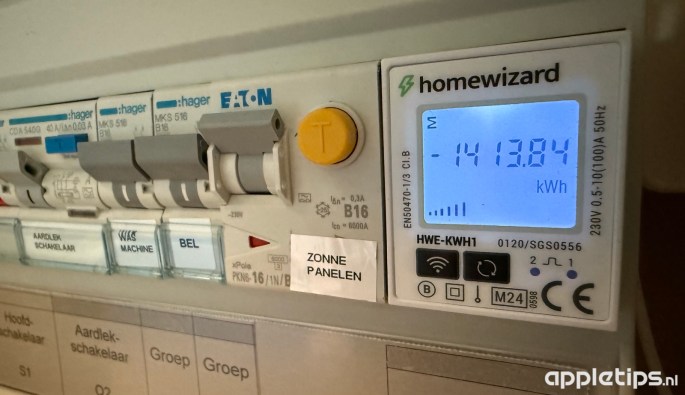
To make all those smart automations and interactive widgets work really effectively, they need the right fuel. That fuel consists of current and reliable data. The independent platform Pricewise helps consumers to make this energy market completely transparent by clearly comparing all current rates and contract types. With their handy comparison tools you can immediately see which provider best suits your modern equipment and solar panels. By choosing smartly and regularly independently compare energy you ensure that the smart technology in your home not only works sustainably, but also produces the very best financial results.
Once you have linked the right flexible or dynamic contract to your smart meter, the software really comes to life. Many modern energy suppliers now offer integrations that allow you to load the current hourly prices directly into your own HomeKit environment or via Home Assistant. This way, the energy market rates talk directly to the appliances in your home.
Siri as your personal energy assistant
Thanks to Siri Shortcuts, you can personalize these processes even further. You can use simple voice commands to trigger actions that previously required multiple actions. Instead of manually searching for the cheapest hours of the day, simply ask your HomePod or iPhone when it is best to wash. Siri checks the live prices in the background and automatically schedules the washing machine at the most affordable time of the night via a smart plug.
The great thing about this system is that it fully adapts to your routines. You don’t have to drastically change your behavior to save money. The software finds space within your daily rhythm. The laundry is clean when you wake up, the car is charged when you have to go to work, and the house is comfortably warm as soon as you cross the threshold. After all, technology is there to make our lives easier, not more complicated.
Sustainable choices through smart interaction
We notice that the transition to an energy-conscious life is much easier to maintain when the interaction with our systems is pleasant and intuitive. Apple understands this principle like no other. By translating complicated energy data into minimalist graphs, understandable widgets and seamless automations, the barrier to actively working on sustainability disappears. It is no longer a dry administrative task, but a logical part of how we interact with our devices.
Ultimately, a smart home is only really smart when all parts work together in harmony. By approaching your iPhone, your smart devices and your energy contract as one integrated system, you take complete control over your consumption and your costs. The meter cupboard has finally stepped out of the shadows and has claimed its place on your home screen.