
Is your iPhone no longer working properly? Then you are probably dealing with a major problem caused by iOS 26. This is how you solve it!
Problem in iOS 26
Did you update your iPhone to iOS 26 in September 2025? And has your phone stopped working properly since then? In that case, chances are you’re dealing with a major problem in iOS 26. The major update brought many new features to your iPhone, but unfortunately an annoying software bug also came to the iPhone. This causes iPhones to freeze when users try to move applications or widgets.
Moving applications in iOS 26 is done in the same way as in iOS 18 and earlier. You press and hold an app on the Home screen, tap Change Home Screen, and then all the icons start moving. Three dots appear at the bottom of the screen at the same time. Do you tap those three dots? Then many iPhones get stuck due to a major error in iOS 26. This is what it looks like:
Text continues below the video.
@iphonednl DOES your iPhone also MAKE this CRAZY glitch? Every time I try to move a widget… my iPhone crashes INSTANTLY! Is this an iOS 26 bug or is it my iPhone?! Does this also happen to you? #iphoneglitch #ios26 #iphone17 #iphonetips #techtok ♬ Blade Runner 2049 – Synthwave Goose
This is how you prevent that
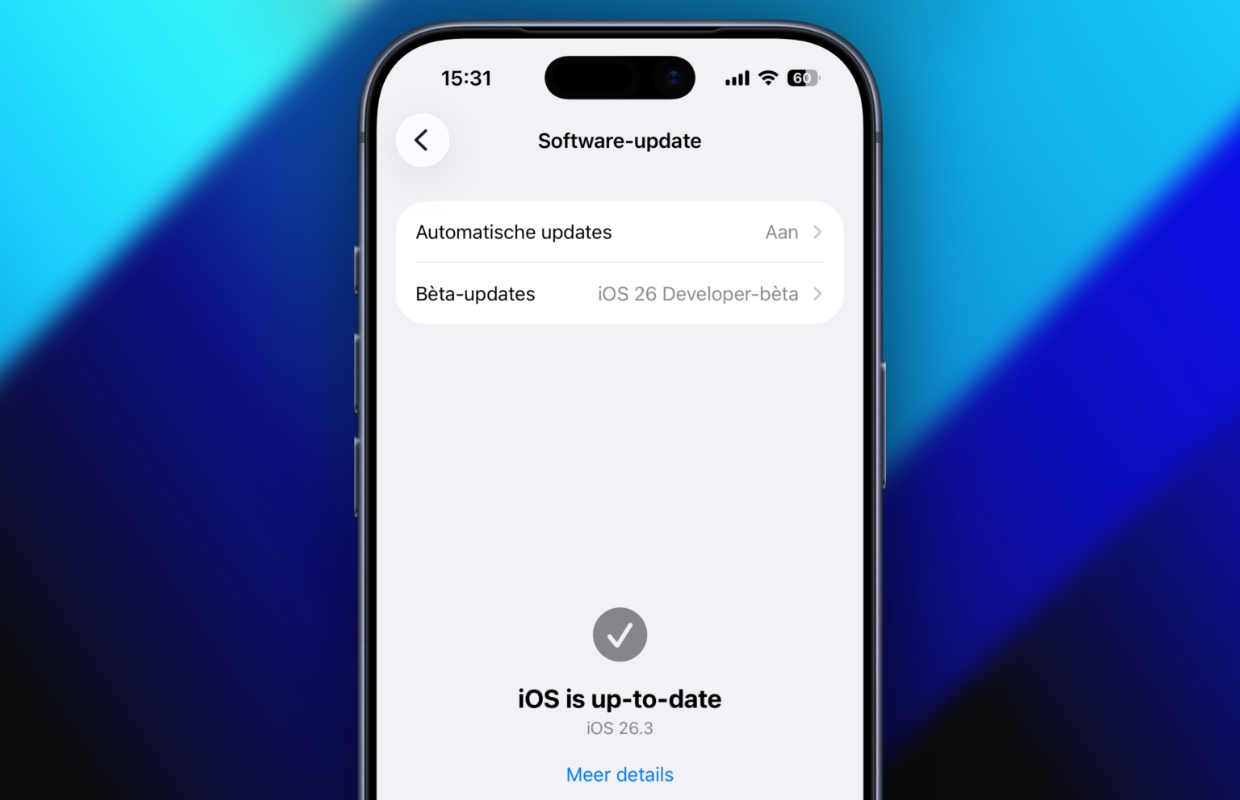
Does your iPhone also freeze when you tap the three dots on the Home screen? In that case, your device is also affected by the software error in iOS 26. It is reportedly a bug in iOS 26 and iOS 26.1. Apple has now fixed the problem, so you can fix the error in iOS 26 by updating your iPhone to the latest software version. This is how you prevent your iPhone from freezing:
- Open ‘Settings’ on your iPhone;
- Go to ‘General’;
- Choose ‘Software update’;
- Finally, install the latest software version.
Does a new software version appear in your iPhone settings? In that case, your iPhone has not yet been updated to the latest version. Make sure to install the software update on your iPhone to fix the problem in iOS 26. If you want to resolve these types of software errors as quickly as possible in the future, it is wise to also enable ‘Automatic updates’. New software versions will then be automatically installed on your iPhone.
More iPhone tips
Apple regularly brings new features to your iPhone with software updates, but unfortunately that does not always go well. Does your iPhone ever suffer from problems, such as freezing after installing iOS 26? It is often wise to check whether a new software version is available. Apple often solves these problems with smaller interim updates, so that users experience as few software errors as possible. Did you find this tip useful? See more tips for your Apple devices here:
-
iOS 26 still causes major problems on iPhones – here’s how to fix it
-
Spotify has a new smart function (and it is already indispensable)
-
5 useful tips to capture snow really beautifully with your iPhone
-
You must enable this feature of the Apple Weather app (for your safety)
-
This way you can see your friends’ posts on Facebook (and not nonsense)
-
Look after! Your iPhone can handle snow less well than you think
-
This is how you turn your iPhone into a hand warmer (but that has disadvantages)
-
WhatsApp adds hidden feature for all users (and here’s how you get it)
-
This way you can send messages to someone automatically and unnoticed!
-
Netflix and Apple TV in January 2026: Shrinking, Hijack, Bridgerton