Over time, your Mac collects countless (often invisible) files that take unnecessary disk space. If you have a Mac with Apple Silicon, you can easily free up extra space by removing software components that are originally intended for Intel-Macs.
The removal of these Intel-Binaries using a tool such as Cleanmymac X often immediately gives you some gigabytes of extra storage capacity.
What are Intel-Binaries and why are they superfluous?
Intel-Binaries incorporate an unnecessary amount of writing space on your Mac with Apple Silicon, because they consist of program code that is specifically intended for Intel processors, while you actually use M1, M2 or M3-MAC only the Apple Silicon code. Universal apps contain two versions of the same software: one for Intel (X86_64) and one for Apple Silicon (Arm64). Only the ARM code is used on a Mac with Apple Silicon; The Intel code remains unused on your disk.
This double code file ensures that apps are often tens to hundreds of megabytes larger than strictly necessary for your system. Certainly if you have installed many apps, this can yield many gigabytes of wasted storage space in total. The Intel binaries are not necessary for the operation of apps on Apple Silicon. Your Mac always uses the ARM version if it is available.
The Intel binaries are superfluous on an M1 or newer Mac, are not used, but do take up space, and the removal of it will immediately give you more available storage.
Remove Intel-Binaries with Cleanmymac X
Cleanmymac X is a user -friendly maintenance tool for macOS with which you can easily clean, optimize and protect your Mac. The program scans your system on unnecessary files, such as system trumpel, cache files, old logs and double files, and removes them safely to free up disk space.
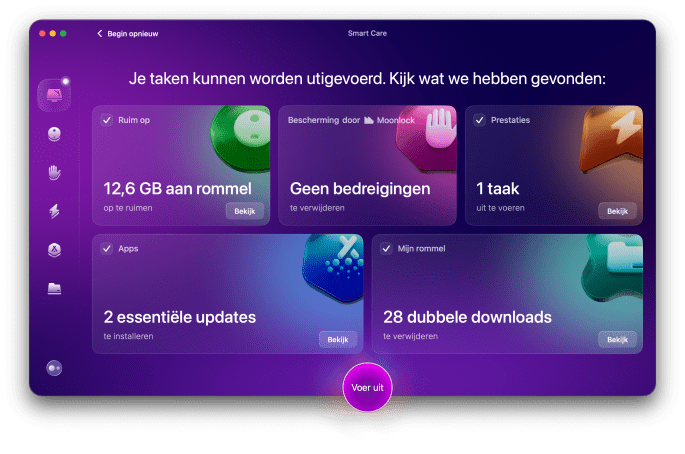
In addition, Cleanmymac X offers functions for managing start -up items, detecting large or unused files, removing unwanted apps and protecting malware. With one click you will keep your Mac quickly, safely and well -arranged.
Cleanmymac X can also help you clean up Intel-Binaries on a Mac with Apple Silicon. The app can automatically detect and safely remove these superfluous parts of Universal Apps.
To remove the Intel binaries and generate more disk space, follow the following steps:
- Open the Cleanmymac X app.
- Choose ‘My mess’ in the sidebar.
- Click on Scan. Cleanmymac X now analyzes your Mac and searches for Universal Binaries, among other things.

- After the scan you can click on View details (review details).
- Only check Universal Binaries if you only want to remove them.
- Click Remove to delete the selected files.

After the process is completed, it is shown how much junk has been cleaned up. In most cases you now have access to a few extra GBs disk space.

Purchase CleanMymac
Do you want to buy Cleanmymac X? You have various options, depending on your preference for a subscription or a one -off purchase. It is also possible to try Cleanmymac x 7 days for free. Below you will find the most important options and prices.
An annual subscription for 1 Mac costs € 47.40 per year, you can also opt for a one -off Lifetime license for € 119.95. For several Macs there are affordable bundles for 2 or 5 Macs available.
Prices depend on the current exchange rate and any discounts.
Cleanmymac also available in Set App
Cleanmymac is not only available separately, but also included in the SetApp subscription. SetApp is a subscription service that gives you access to more than 250+ high-quality Mac apps for a fixed amount per month.