
Another update is coming, bringing seven improvements to your iPhone. Curious which ones they are? This is going to change on your iPhone!
iOS 26.2
Your iPhone will soon get better again! Apple is preparing to release iOS 26.2, the next software version for your iPhone. iOS 26.2 brings new features and various improvements to your iPhone, which have already appeared in previous test versions of the update. Are you curious about what changes you can expect? These are seven improvements that Apple will soon introduce with iOS 26.2!
1. Liquid Glass on the lock screen
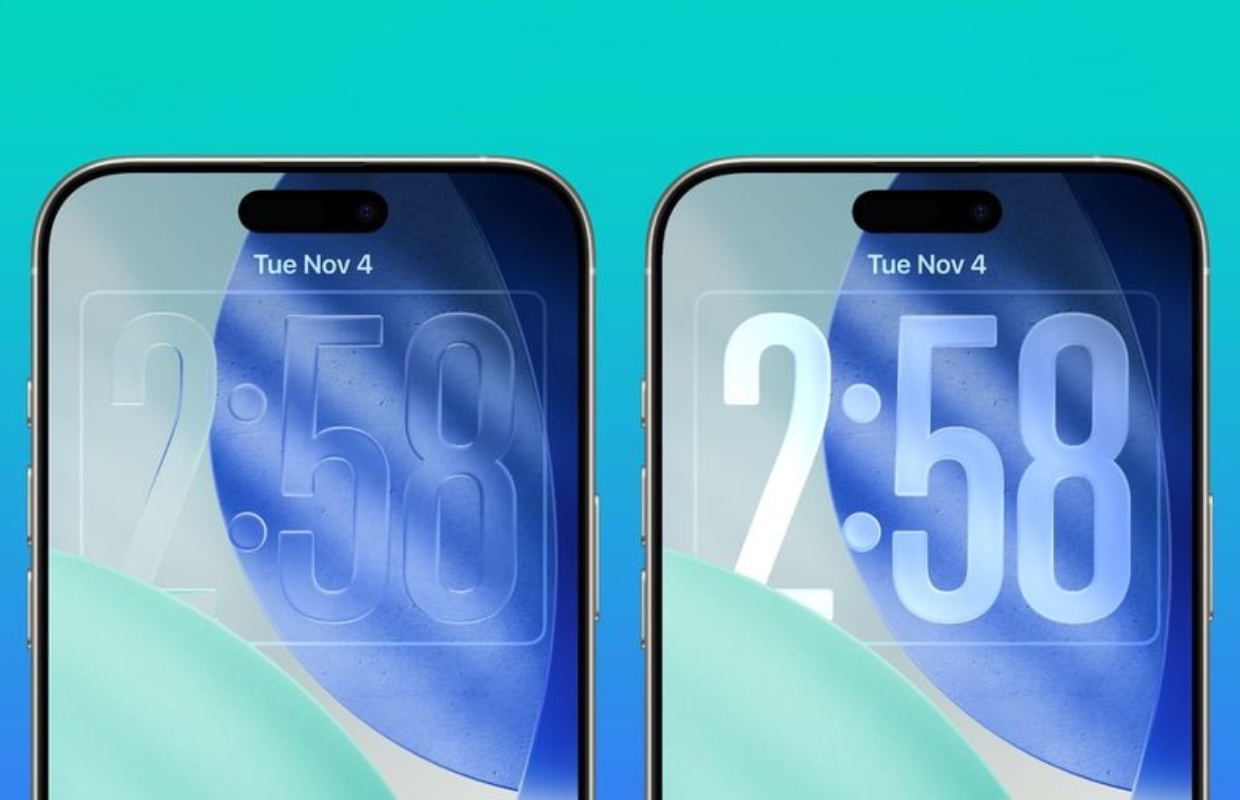
Liquid Glass came to your iPhone with iOS 26 and will be adjusted again in the next software version. The clock on your iPhone’s lock screen already has a transparent design, but you can customize this starting with iOS 26.2. When editing the lock screen, you decide how transparent the time is displayed, so that the clock remains easy to read for all users.
2. Offline lyrics in Apple Music
Do you like to sing along to your favorite songs? In that case, you will receive a useful improvement in iOS 26.2, because offline song lyrics will soon be available in Apple Music on your iPhone and iPad. This new feature allows you to view the lyrics of a song at any time, even if you don’t have a working internet connection. You will find the lyrics in the same place as in iOS 26.1 and earlier in Apple Music.
3. Sleep score
One of the newest health features of the iPhone and Apple Watch is the sleep score. This score indicates the quality of your sleep, so that you get a better insight into your night’s sleep. The sleep score will be improved in iOS 26.2, as Apple introduces more categories to the feature. In the next software version, Apple will distinguish between five different scores, so that the rating better reflects the quality of your night’s sleep.

4. Set reminders
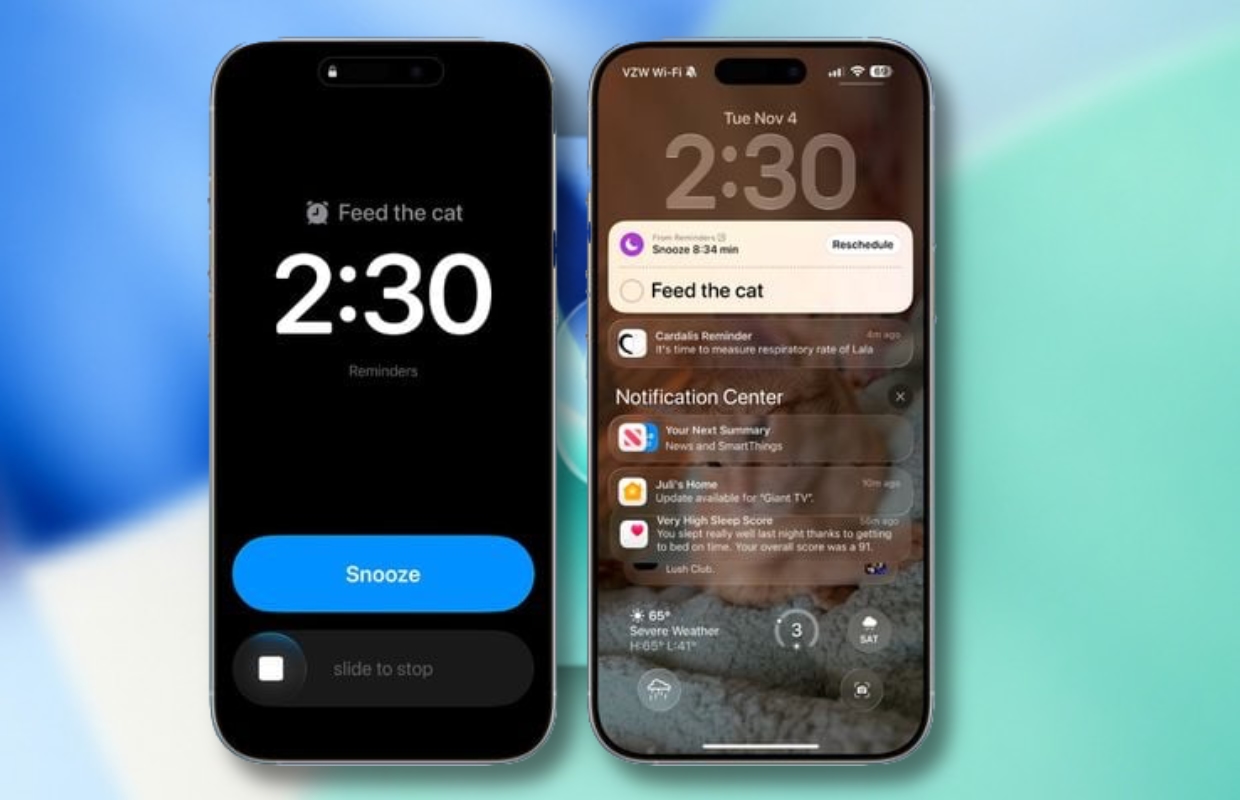
Do you regularly set a reminder in the Reminders app, but then forget about it? In that case, iOS 26.2 will bring a useful improvement to your iPhone, because the Reminders app will support setting an alarm. For example, your iPhone plays a sound via the Reminders app and you can stop or snooze the alarm. This works the same as the alarm clock on your iPhone, so you won’t forget a single reminder.
5. Podcast app
The Podcast app on iPhone gets a number of improvements in iOS 26.2. In the new software version, recordings in the application automatically have chapters, where you can see how long each part lasts. In addition, you can go directly to other podcasts mentioned in an episode or recording, so you no longer have to look them up yourself. You can also go directly to a mentioned podcast from an episode transcript in the Podcast app.
6. Flash on notifications
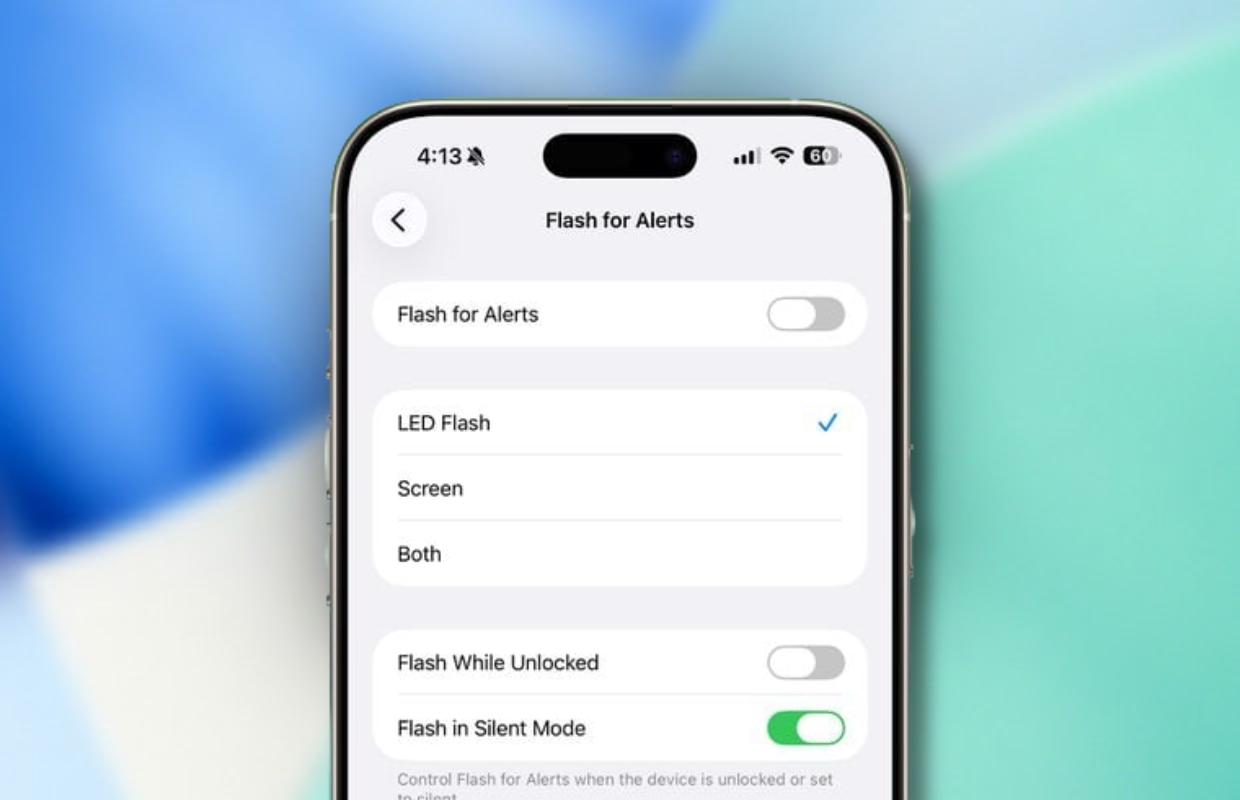
Don’t want to miss a single notification on your iPhone? It has been possible to use the camera’s flash for this for some time. When you receive a notification, it flashes so that you are immediately aware of the notification. In iOS 26.2 you will get an additional option, because you can soon set the screen of your iPhone to flash with a notification. This way you can see on the front and back of your iPhone that a notification has arrived.
7. Translate live
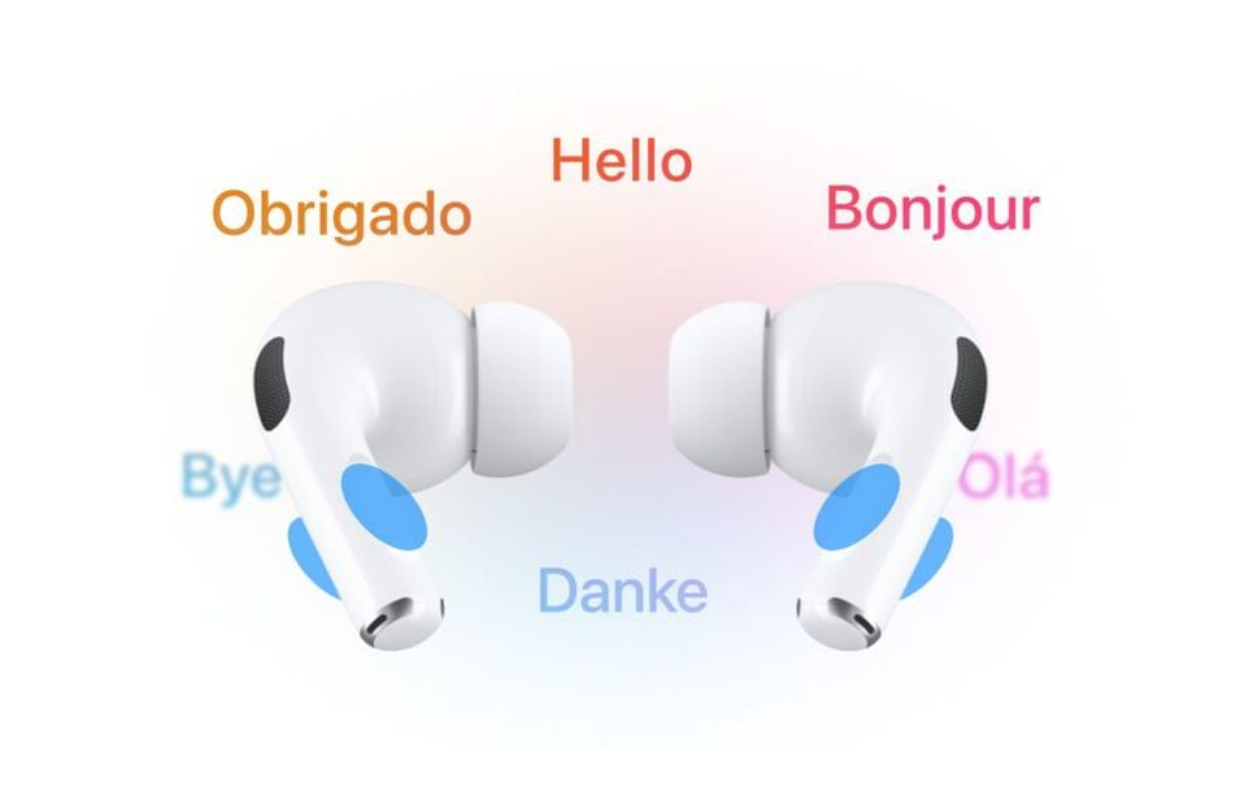
Live translation is one of the most important improvements for the AirPods in iOS 26. With iOS 26.2, the function will finally be available in the European Union, allowing the earphones to translate conversations on the fly. Dutch is not yet supported, but other languages such as English, French, German, Portuguese, Spanish and Italian can be converted. Communicating in another language will soon no longer be a problem, provided you wear AirPods.
Release of iOS 26.2
Useful features and improvements are coming to your iPhone with iOS 26.2. We don’t have to wait long for the next software version, because iOS 26.2 is expected to be released in the week of December 15. Typically, Apple releases major software updates on Monday evenings at 7 p.m., so keep a close eye on your iPhone around that time on December 15. Don’t want to miss any updates? Then sign up for our daily or weekly newsletter so you always stay informed!

Download the iPhoned app
