
Waze and TomTom GPS navigation (formerly TomTom AmiGO) are major competitors, so we decided to compare them.
Waze vs TomTom GPS navigation
Waze and TomTom GPS navigation are both intended for road users who are allowed to use the highway. Do you want to navigate by bike or on foot? Then you better switch to Google Maps or Apple Maps. We compare the most important functions of Waze and TomTom GPS navigation.
Interface
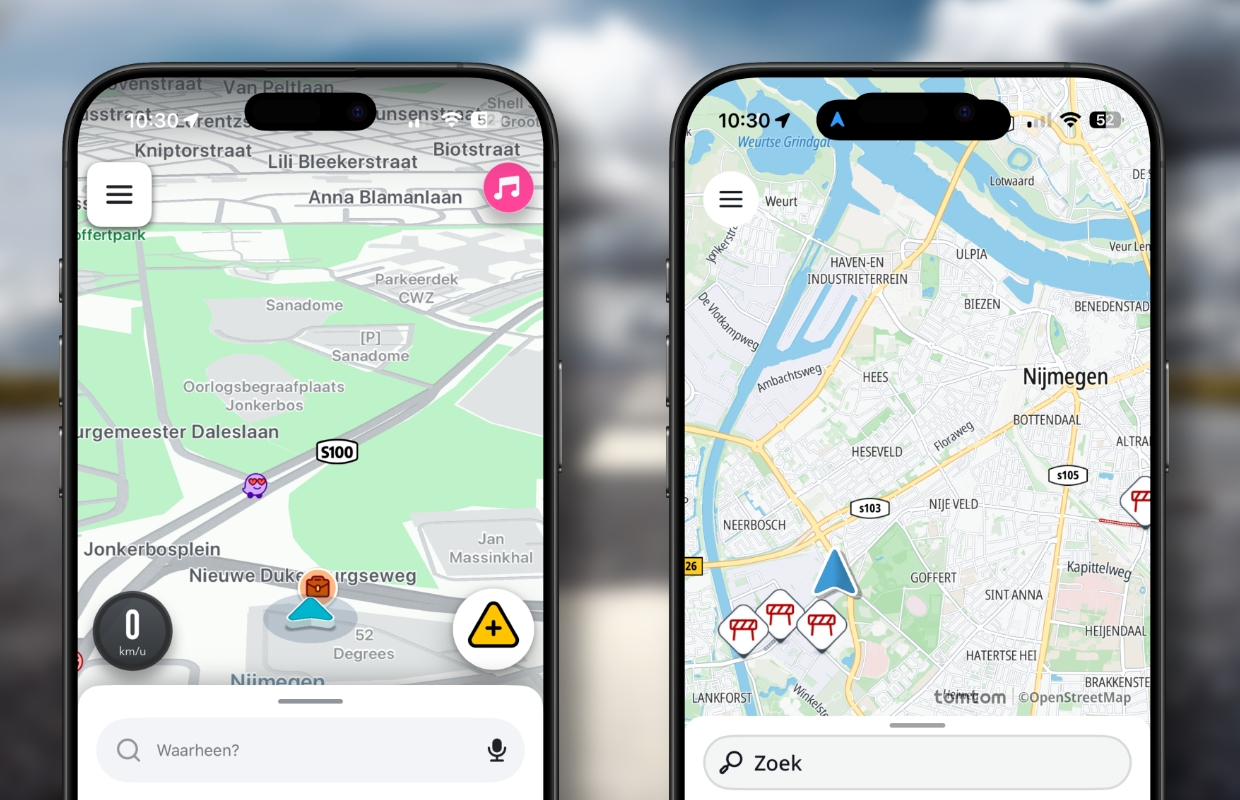
Both Waze and TomTom GPS navigation have quite a minimalist interface. Especially if you compare it with Apple Maps or Google Maps. In a direct comparison you can see that Waze’s interface is a bit more sober than that of TomTom GPS navigation. This also makes the app a bit clearer, while you still see all relevant information on screen. TomTom shows more information, but it can also be a bit more distracting.
Fastest route
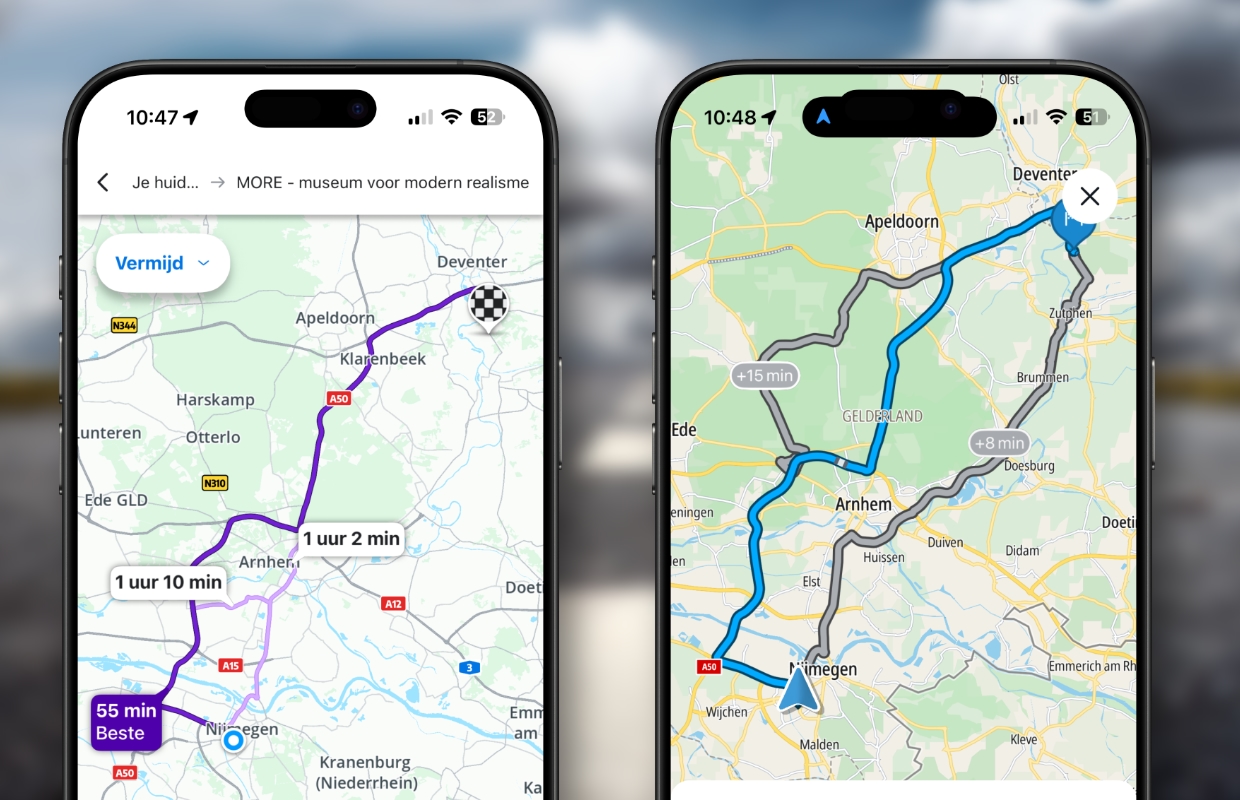
After entering our destination, both apps recommend the same route. Waze does have more up-to-date traffic information and therefore estimates the total travel time slightly better. The app also places more emphasis on travel time than on distance: the distance is displayed very subtly, unlike with TomTom. You will only see the time at which you arrive after tapping ‘Depart now’.
Waze and TomTom GPS also both indicate two alternative routes. Here too, Waze focuses on the fastest routes. TomTom GPS also once indicated a route that took no less than 32 minutes longer. It’s not very likely that you’ll choose such a longer route, so it’s really just redundant information.
Plan routes
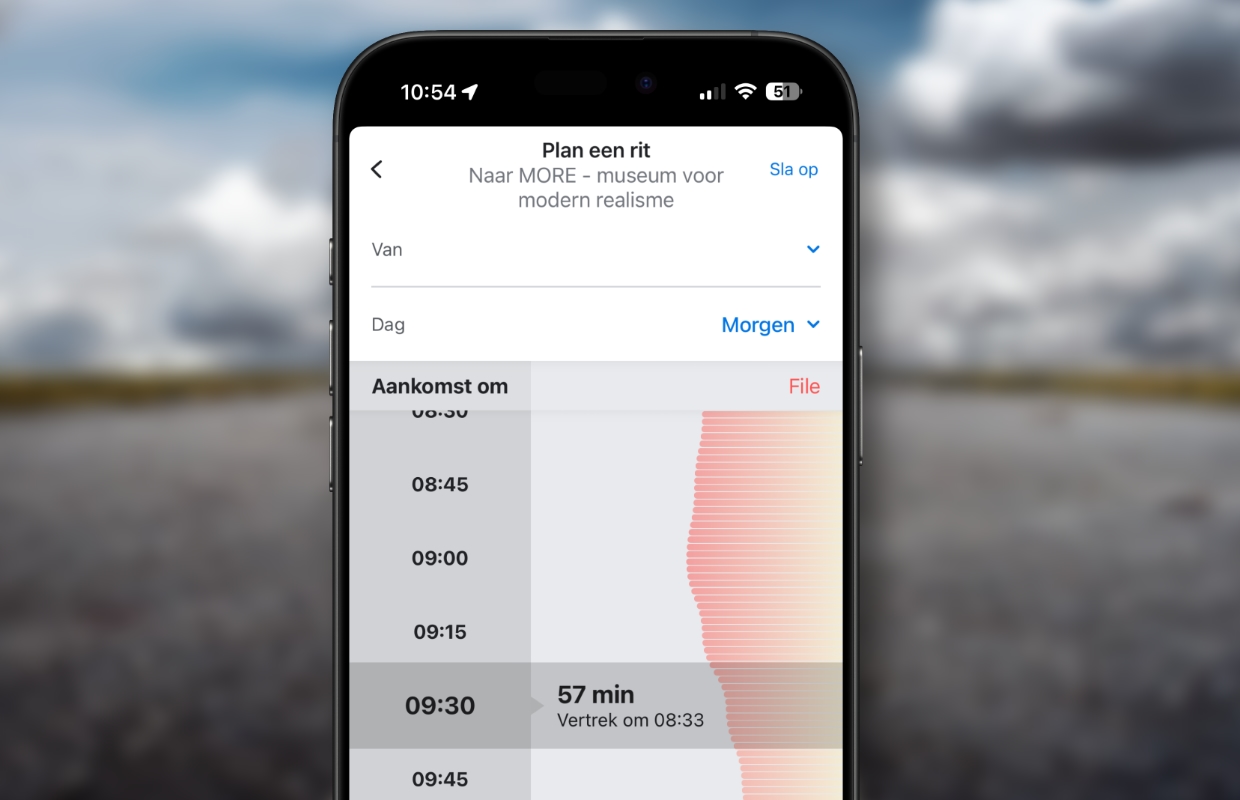
Unlike TomTom, Waze allows you to plan a route in advance. The app also immediately takes into account the expected chance of traffic jams. This way you can see at a glance whether it would be better to leave half an hour earlier or later. Once you have set everything, Waze can also automatically remind you when it is time to leave.
Roadblocks
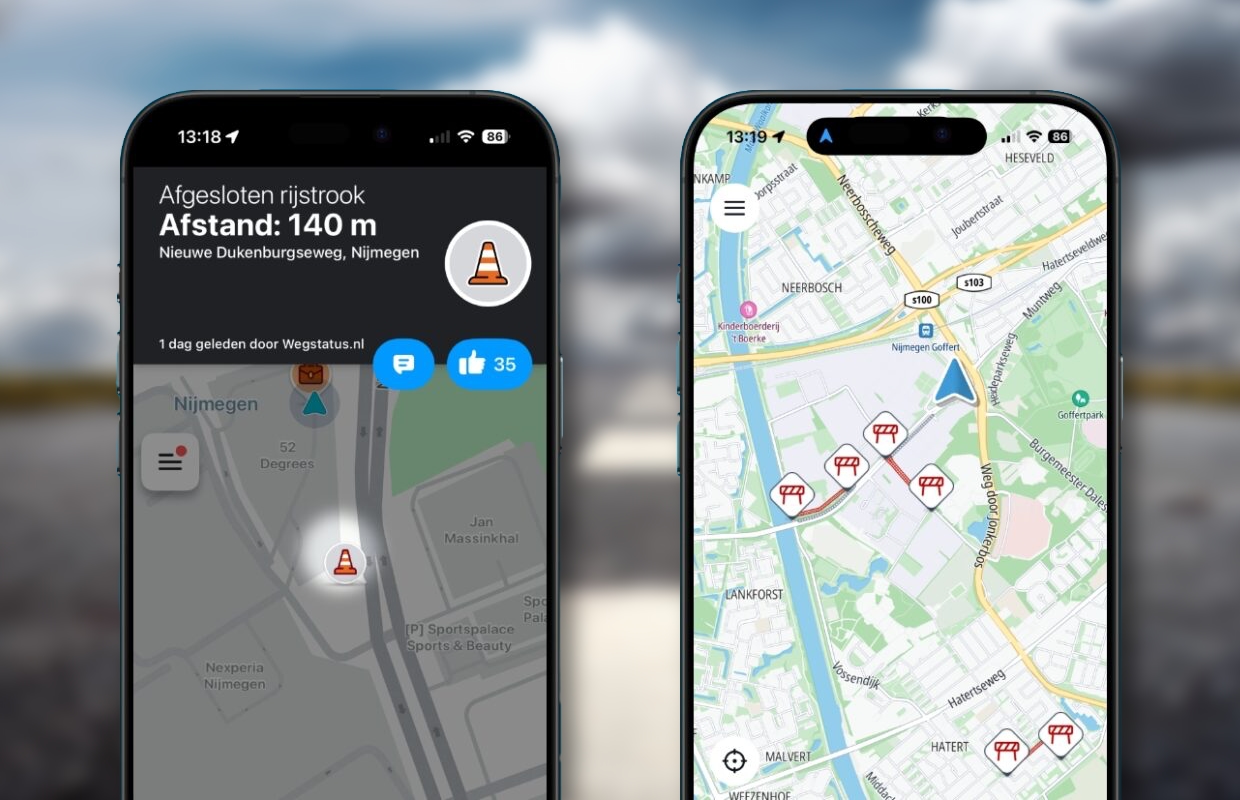
Waze and TomTom GPS clearly indicate roadblocks on the map. It will be no surprise that Waze does this in a more minimalist way than TomTom. At the same roadblock you will see 1 pylon at Waze and 4 fences at TomTom. At Waze you can still tap on the pylon for more information. TomTom does not have that option.
Speed cameras
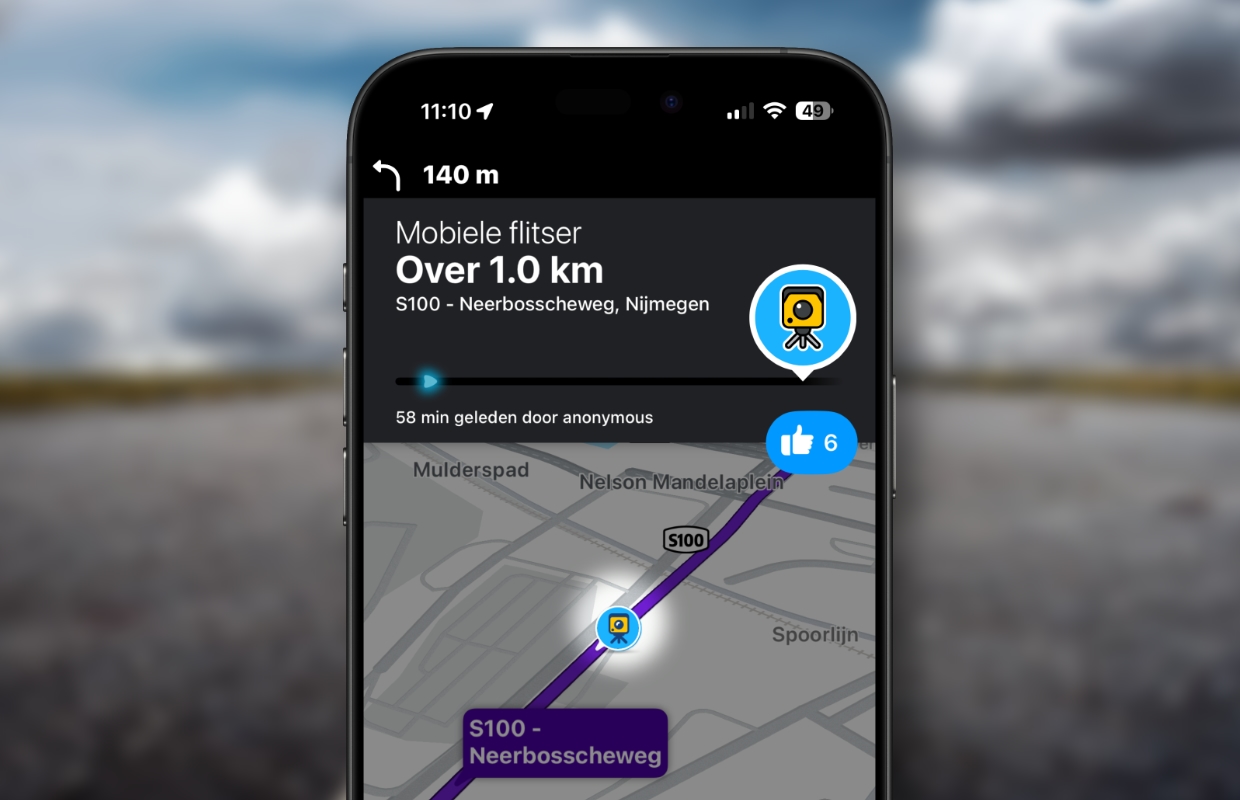
Speed cameras are also clearly indicated on the map by both apps. Thanks to the community of both Waze and TomTom, this generally also applies to mobile speed cameras. It is nice that both apps indicate the speed limit of the road you are driving on as well as your current speed. This makes it a lot easier to avoid speeding fines.
Create notifications
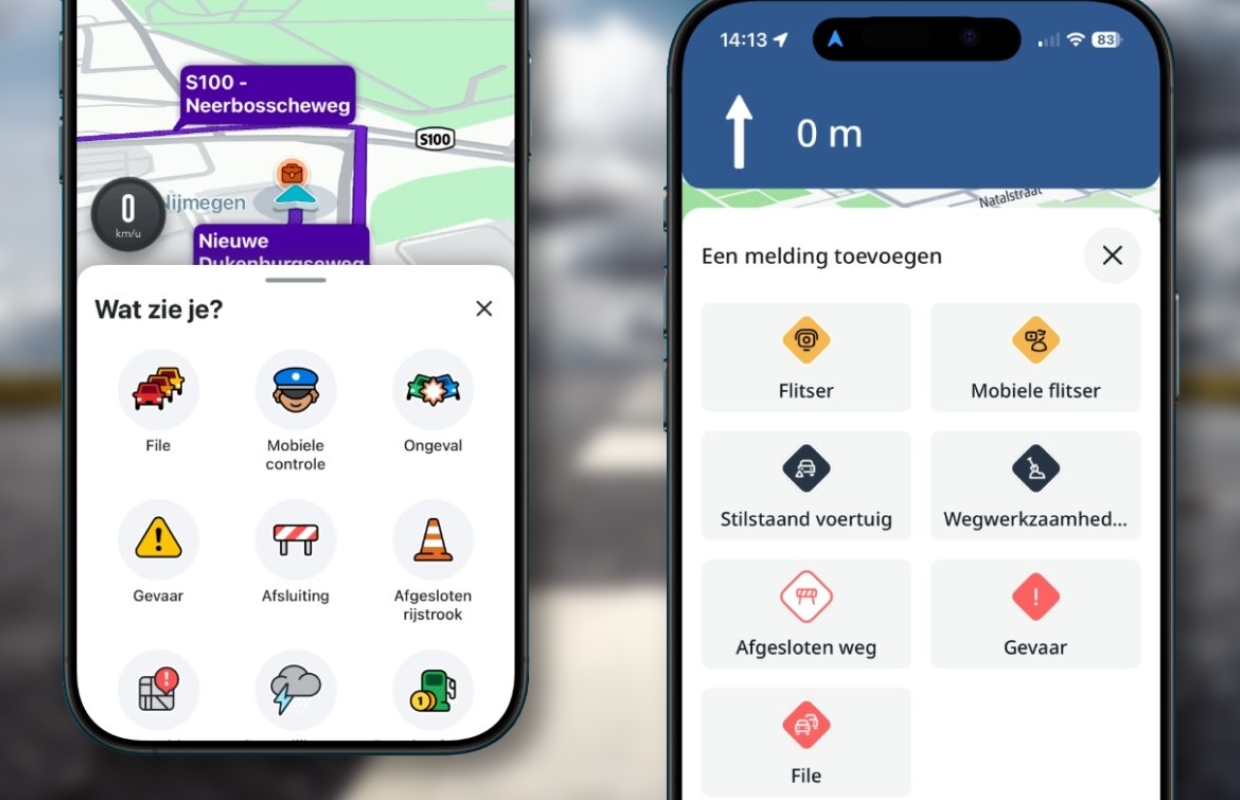
If you use Waze or TomTom GPS navigation, you are part of the community and you can also make notifications. To do this, tap the triangle with a plus sign in it. In the screen that then appears, tap on what you have encountered along the way. This way you warn other road users about this.
Conclusion: Waze vs TomTom GPS navigation
If you simply want to navigate from A to B, you can easily use both Waze and TomTom GPS navigation for that. Both apps let you know if you can better adjust your route, based on reports from the community. You can also make your own reports if you encounter problems along the way. Waze seems to be slightly better at always finding the fastest route. In that sense, Waze navigates slightly better.
Waze is minimalist in appearance, TomTom is minimalist in terms of functionality. TomTom doesn’t offer much more than navigating and making notifications, but that may be enough for you. Waze can also help you find a parking spot, you can add a stopover and you can integrate Apple Music or Spotify into the app. These are all things that are missing from TomTom GPS. If you want to use them, then choose Waze.
More comparisons?
Are you also curious about comparisons between other navigation apps? Below you can see which apps we have previously compared!
- Apple Maps vs TomTom GPS: it is best to (not) use these
- Apple Maps vs Google Maps: this really is the best navigation service
- Apple Maps vs Waze: This is the better navigation app of the two!
- Waze vs Google Maps: which navigation app is really better?
- Google Maps vs TomTom GPS: This is the better choice of the two!